Fill Out a PDF Form Free: Real Fields or Flat Scans
To fill out a PDF form for free, open it in GrabCast Fill PDF Form: the tool reads the file in your browser and tells you straight away whether it has fillable fields. If it does, you type into the real text boxes, tick the real checkboxes and pick from the dropdowns right on the page; if it is a flat scan, you switch on Add text and click anywhere to type. Either way you finish with a clean copy named -filled.pdf, and nothing is uploaded. This guide covers both cases, when to lock your answers with Flatten, and the few limits worth knowing, such as the Latin-only font and the separate step for your signature.
📝 Try the Fill PDF Form tool now — freeOpen →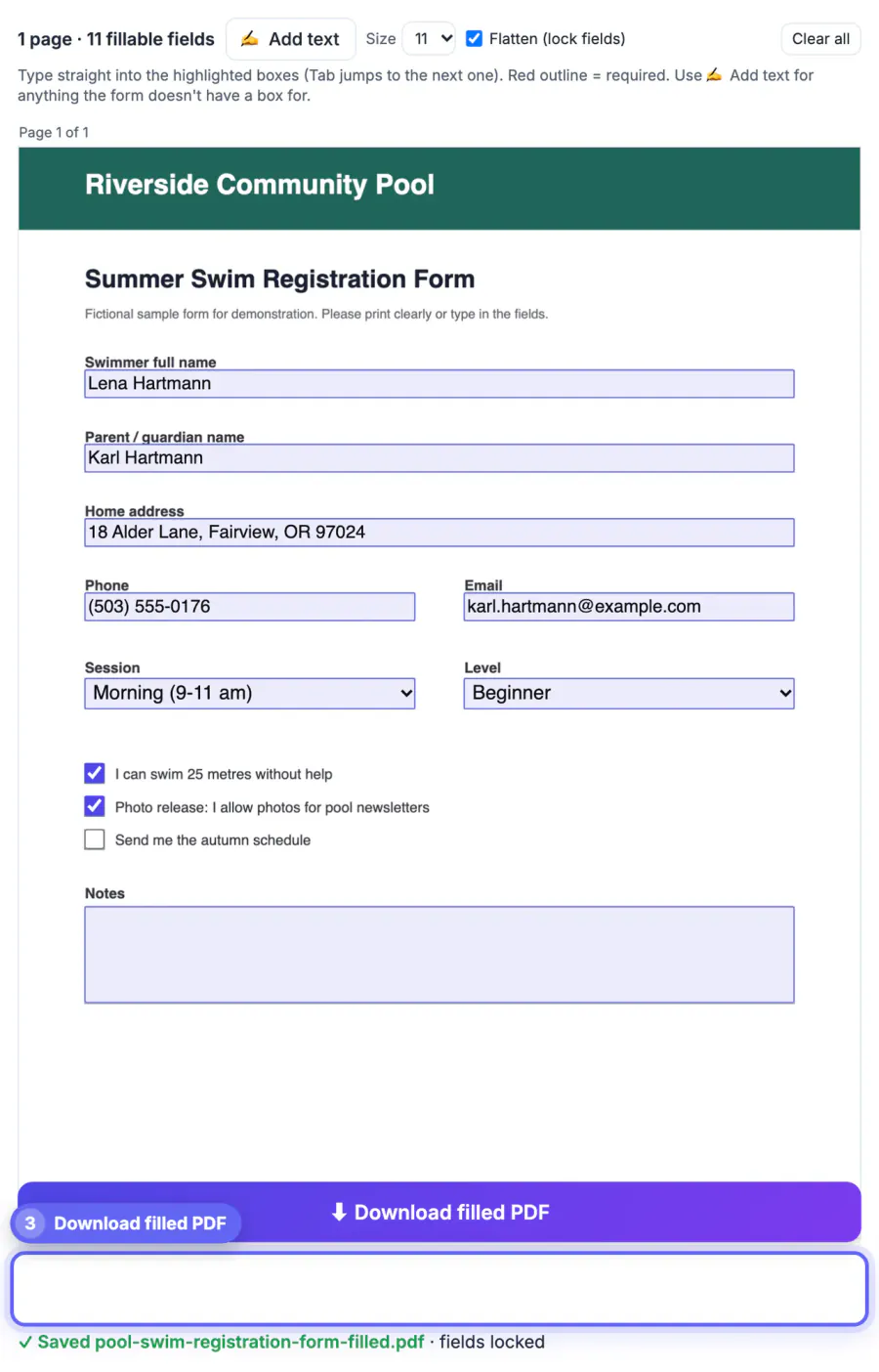
Browsers can open many fillable documents, but results vary: some viewers lose typed values on save, most ignore required-field markers, and none can type onto a scanned sheet. The old fallback, printing and handwriting, produces entries a clerk has to decipher, and a misread 7 in a date of birth or policy number can hold up an insurance claim or a school enrollment for weeks. Fill PDF Form writes your answers into the document's own fields, so the receiving office can read them, import them or search them, and it adds real text on flat pages instead of pasted images. Because it runs locally, it suits the paperwork that tends to carry the most personal data: medical intake sheets, tax forms, benefits applications and school records.
Step one: the tool tells you what kind of form it is
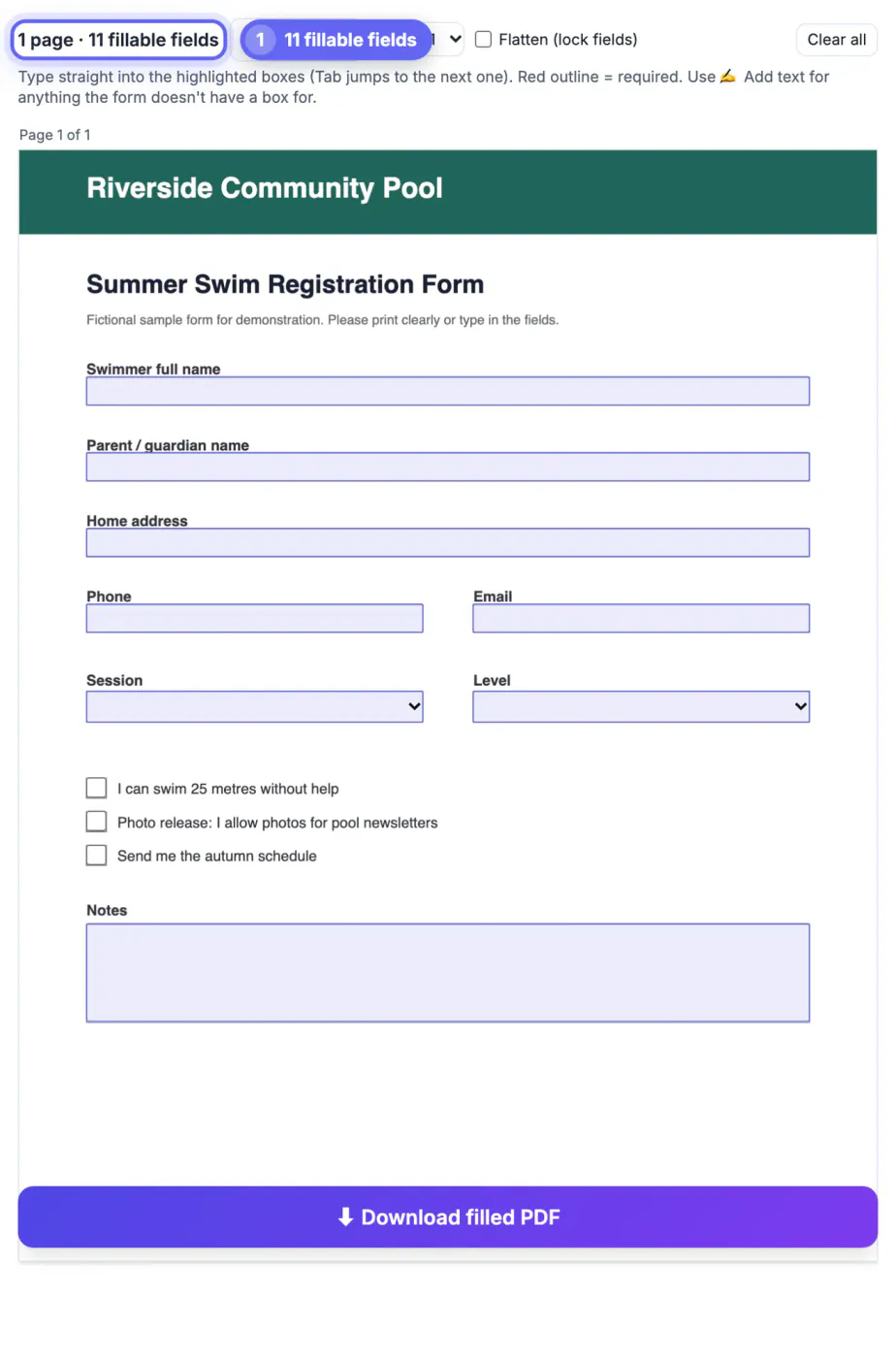
Drop the file in and look at the status line above the first page. It reads, for example, 3 pages and 42 fillable fields, or 2 pages and no fillable fields.
- Fillable documents, such as the IRS W-9 or most bank and HR paperwork, show highlighted boxes laid exactly over the printed blanks.
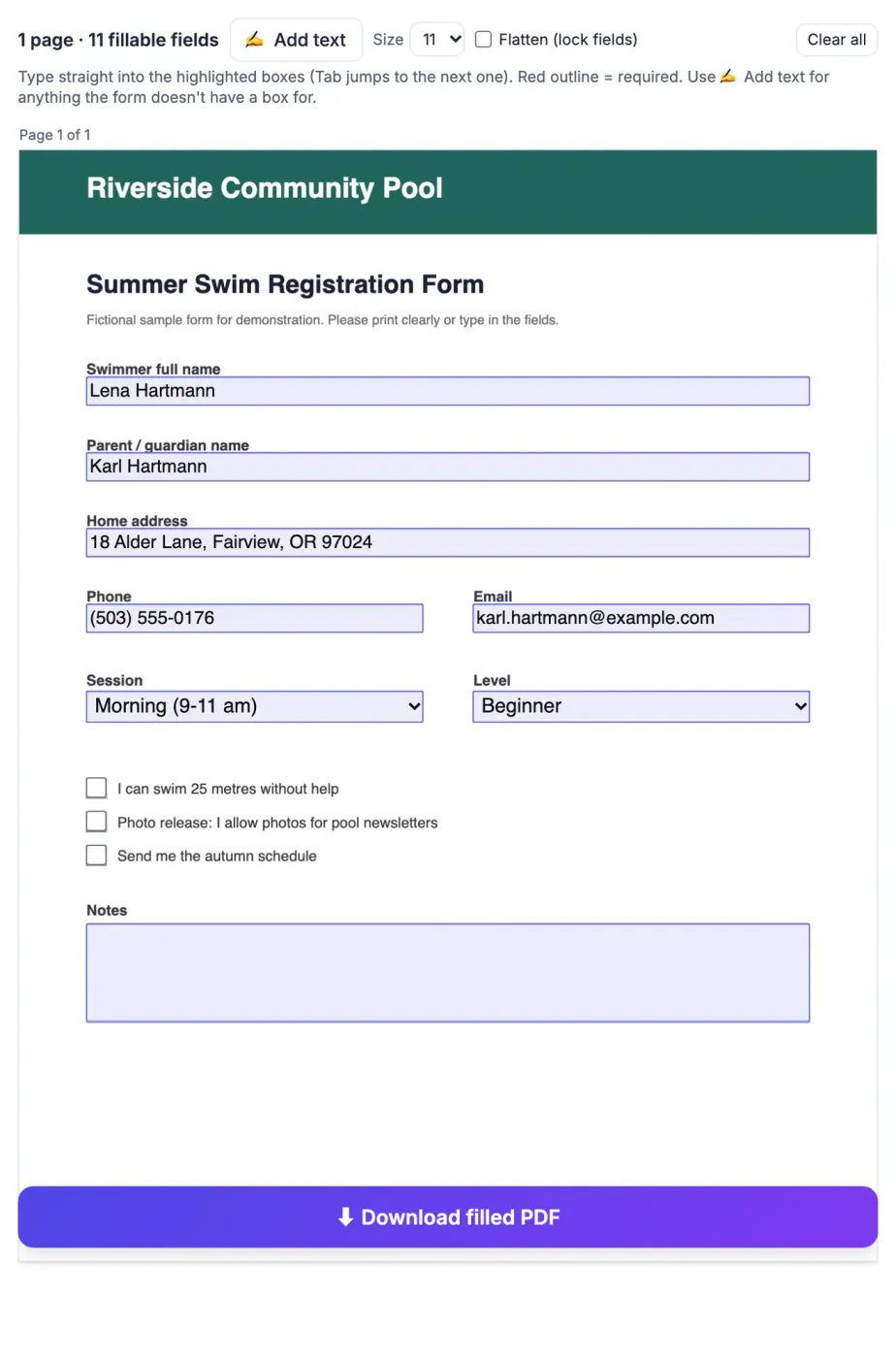
- Text boxes, multi-line comment areas, checkboxes, radio buttons and dropdown lists all work in place, and Tab jumps to the next entry.
- Required entries have a red outline, and read-only ones are locked so you cannot overwrite values the sender set.
- Flat documents, typically scans, faxes and exports from older systems, have no fields; the tool switches Add text on for you.
A few government documents use an older dynamic technology called XFA and open in browsers with a Please wait message instead of the page. Those usually need Adobe Acrobat Reader on a computer. Password-protected documents will not open either; ask the sender for an unlocked copy.
Typing onto a flat scan with Add text
When there are no fields, Add text turns the page into a typewriter surface.
- With Add text on, click anywhere on the page to drop a small text box and start typing.
- Drag the dotted handle on its left edge to line it up with the printed blank; the red cross deletes it.
- Pick a size between 9 and 18 points before clicking; 10 or 11 matches most printed labels.
- For a checkbox, add a capital X and drag it into the square; for yes or no questions, place the X beside the right word.
Added text is written into the page as real Helvetica text, so it stays sharp at any zoom and can be searched or copied by the recipient. You can mix both methods too: on a fillable document with a blank that has no box, such as a handwritten note area, turn Add text on just for that spot.
Flatten or leave the answers editable?
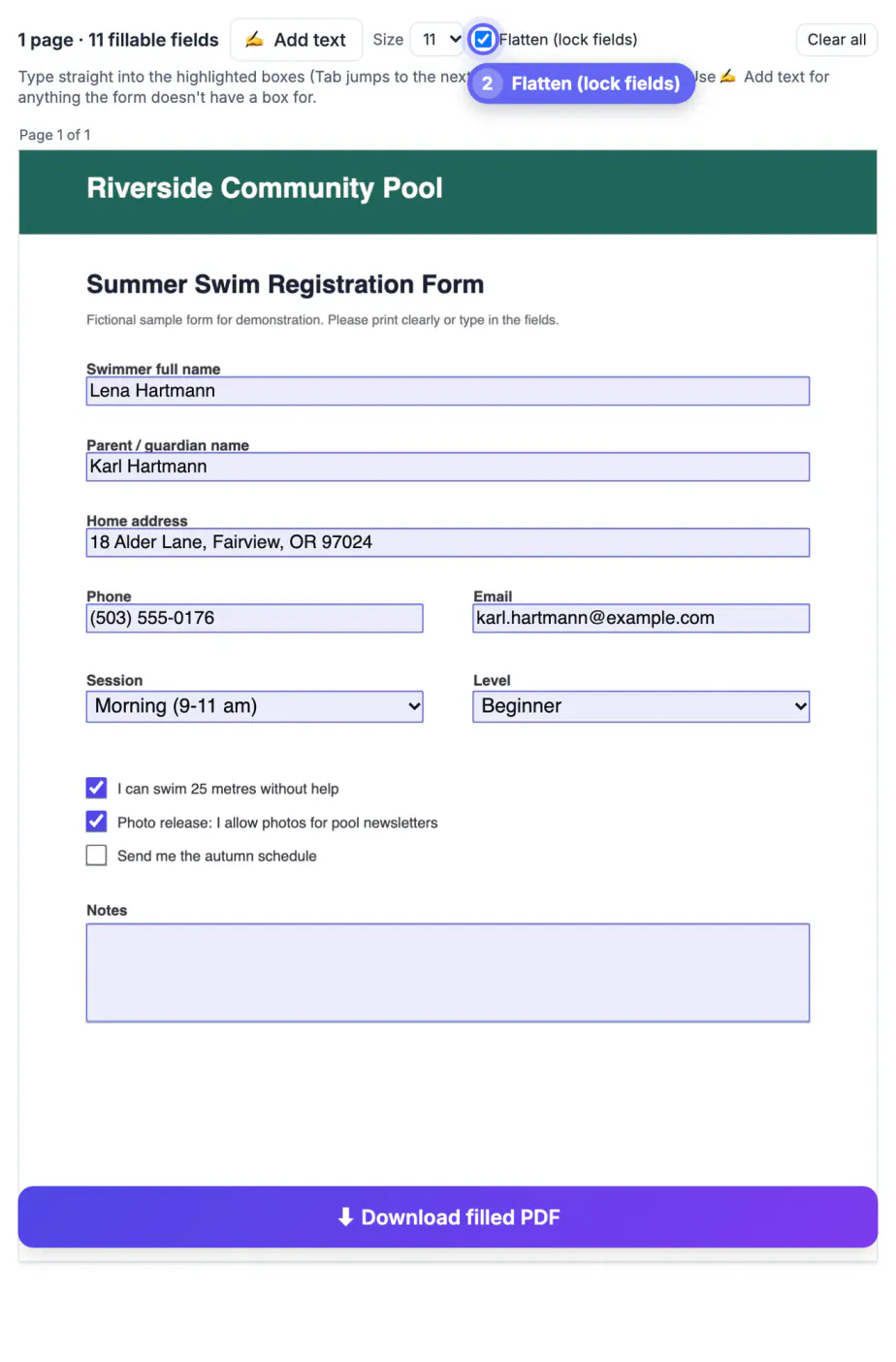
The Flatten checkbox beside the Size menu decides what the recipient receives.
- Leave it off when an office will import your answers into its system, or when you may need to correct a value later; the fields stay editable.
- Turn it on for a final copy you are submitting, so your entries become part of the page and cannot be changed by accident.
- Flattened answers look identical in every viewer, including simple previewers that handle interactive fields poorly.
- Keep an unflattened copy for yourself; it is much easier to update next year's version of the same paperwork.
When you click Download, the status line confirms the saved file and whether the entries are locked. If any required entries are still empty, it lists them by name so you can go back before sending. It also warns if a character could not be written: the standard PDF font covers Latin letters, so names with Chinese, Arabic or Cyrillic script, and emoji, will not print.
Add a signature and send the completed copy
Fill PDF Form deliberately does not draw signatures; that final step belongs in a separate tool.
- Open the -filled copy in GrabCast Sign PDF to draw, type or upload your autograph, add initials, and date the page.
- Consider leaving the entries unflattened until after signing, then check the result once more at full size.
- Reply to the original email with the finished copy, or upload it to the portal that requested it.
- If the portal has a size cap, run image-heavy scans through Compress PDF first.
Clear all resets every entry and removes added text if you want to start again from the loaded document. Everything happens in the browser tab, including reading the fields, rendering the pages and writing the new copy, so account numbers, diagnoses and Social Security numbers on the sheet never reach a server.
Step-by-step
Common mistakes to avoid
Pro tips
Frequently asked questions
How do I know if my PDF form is fillable?
Drop it into Fill PDF Form. The status line shows the number of fillable fields, and fillable boxes are highlighted on the page. If it says no fillable fields, use Add text.
Can I sign the form in the same tool?
No. Fill PDF Form handles text, checkboxes, radio buttons and dropdowns. Download the filled copy and open it in GrabCast Sign PDF to add a drawn, typed or uploaded signature.
What does Flatten do?
It merges your answers into the page so they can no longer be edited as fields. Without it, the recipient's viewer still shows editable fields containing your answers.
Why won't some characters appear in my download?
The tool uses the standard Helvetica font, which covers Latin letters, numbers and common punctuation. Scripts such as Chinese, Arabic or Cyrillic, and emoji, cannot be written with it.
Is my information uploaded anywhere?
No. The document is opened, filled and saved entirely inside your browser tab, so nothing you type is sent to a server.
Let Fill PDF Form decide the route: type into the real fields when the document has them, use Add text on flat scans, flatten only the copy you submit, and add your signature in Sign PDF as the last step. It is free, runs in the browser, and keeps personal details on your own device.
Related guides
Browse more: all PDF guides · the Fill PDF Form tool