Epoch Timestamps in API Logs: Tokens, Retries, Skew
When an API call fails with a 401, a 429 or a rejected webhook, the answer is usually hiding in an epoch number: a token's exp claim, a rate-limit reset header or a signature timestamp. Paste that value into a timestamp converter, read the Relative line, and you know in seconds whether it is in the past, the future or just outside a tolerance window. This playbook covers the values you meet while debugging API logs, how to line up services that log in different precisions, and the sentinel numbers that look like bugs but are not.
⏱️ Try Unix Timestamp Converter now — freeOpen →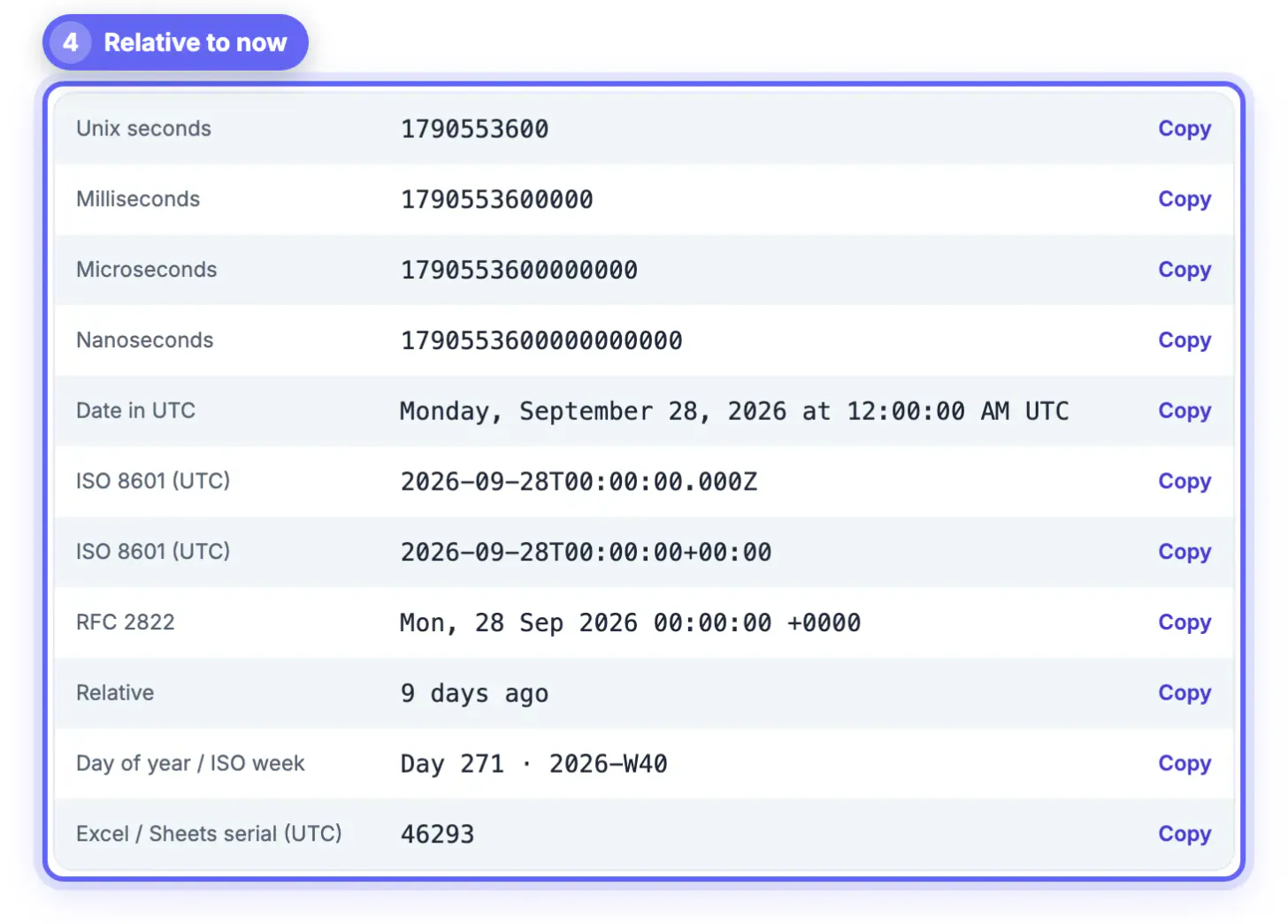
Machines agree on epoch time and humans cannot read it, so the one field that explains an outage is often the one nobody looks at. A JWT that expired 40 seconds ago, a server clock that drifted two minutes, a retry that fired before the reset window, or a webhook replayed from a queue five minutes late all look identical from the outside: a request that should work and does not. The raw numbers in the log already contain the explanation, but only once you convert them and compare them with now and with each other. Doing that inside a browser tab also matters on a production incident, because token payloads, customer IDs and internal hostnames in the lines you copy should not be pasted into a random website that logs requests.
Token claims: exp, iat and nbf
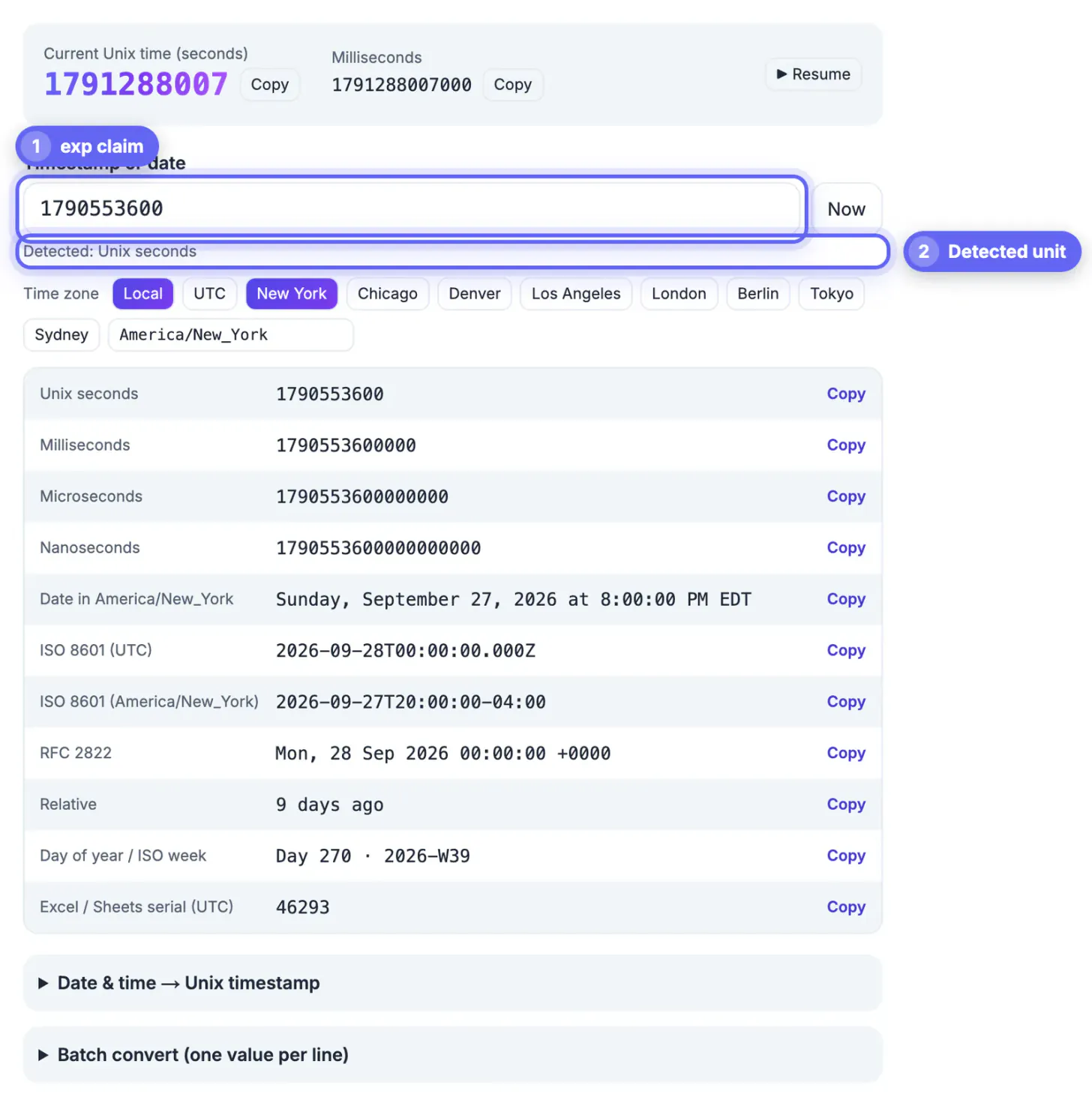
JSON Web Tokens store times as NumericDate values, which are plain seconds since 1970. Decode the token first with a JWT decoder, then paste each claim into the converter and read the Relative row.
- exp in the past, such as 2 hours ago, means an expired token; look at the refresh flow, not the endpoint.
- nbf or iat slightly in the future, such as in 40 seconds, points to clock skew between the issuer and your server rather than a bad token.
- Many JWT libraries accept a small, configurable leeway for skew; if yours is set to zero, even a few seconds of drift will reject valid tokens.
- OAuth expires_in is a duration in seconds, not a date, so 3600 means one hour from issue, not a moment in 1970.
A quick check for skew: copy now from the converter's live clock, pause it, and compare with the Date header of a response from the failing server. A gap of more than a few seconds means the host needs NTP fixed, and no amount of token debugging will help.
Rate limits, retries and webhook signatures
Throttling and signature checks are where precision and units cause the most confusion, because providers disagree on formats.
- X-RateLimit-Reset is an epoch value on some APIs, GitHub among them, and a count of seconds remaining on others; convert it, and if it lands in 1970, it was a countdown.
- Retry-After can be a number of seconds or an HTTP date such as Mon, 28 Sep 2026 14:30:00 GMT; the converter reads the date form directly.
- Stripe signs webhooks with a t= timestamp in seconds and its libraries reject events outside a default five-minute tolerance.
- Slack's X-Slack-Request-Timestamp is also seconds, and Slack advises rejecting requests older than five minutes to block replays.
When a signature check fails only in production, convert the signed timestamp and the time your handler ran. If the gap is minutes, the payload waited in a queue or a retry, and the fix is to verify on receipt rather than after processing.
Debugging API logs written in mixed precisions
A single request can cross services that each log time differently: a Node gateway in milliseconds, a Python worker in microseconds, a Go service or tracing backend in nanoseconds. The converter detects the unit from the digit count, so you can paste each raw value without trimming.
- 12 to 14 digits are read as milliseconds, 15 to 17 as microseconds, and 18 or more as nanoseconds.
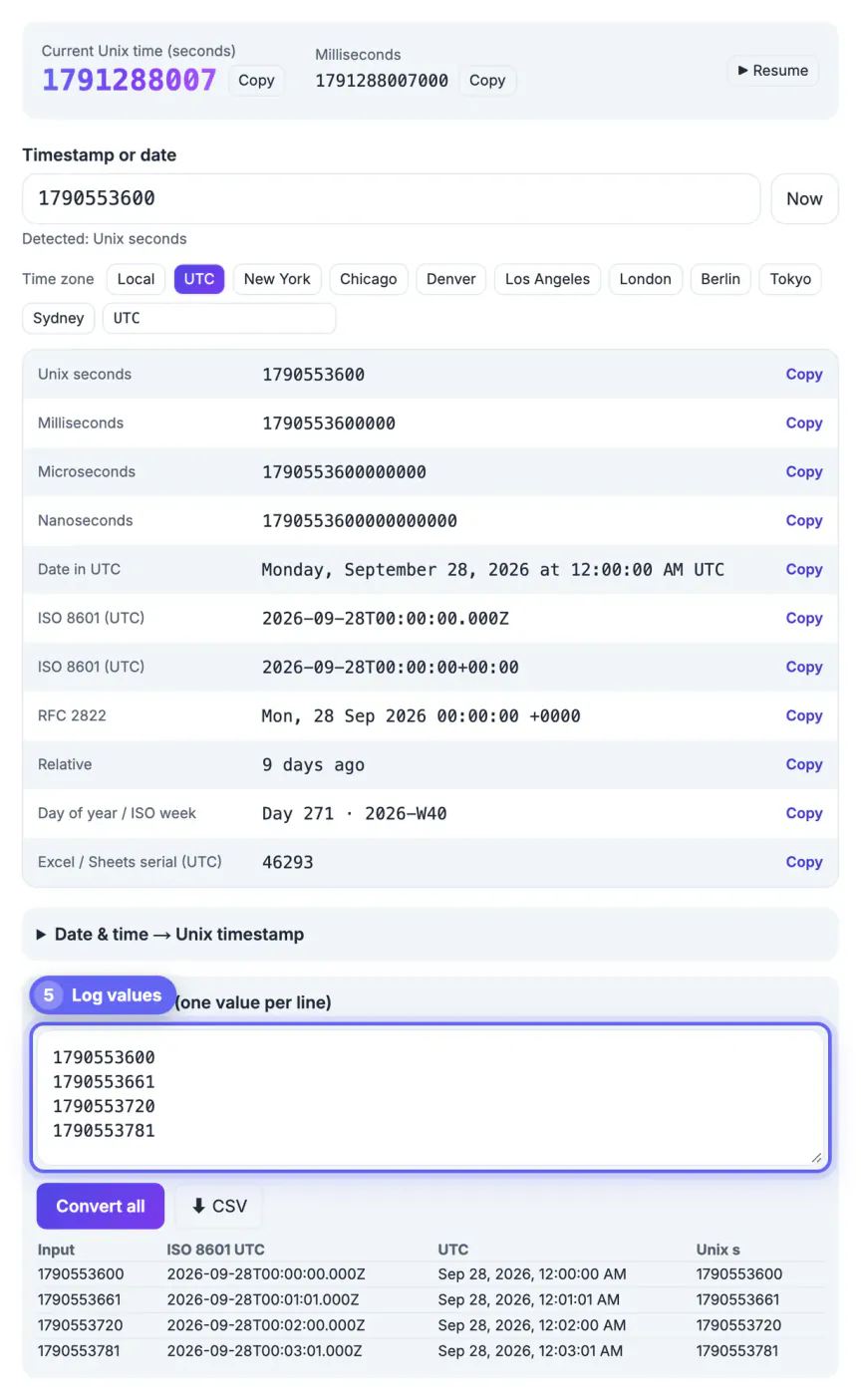
- Paste up to 5,000 raw values, one per line, into Batch mode to convert a whole excerpt at once.
- Download the CSV and sort on the ISO UTC column, which keeps milliseconds; the Unix seconds column rounds down to whole seconds.
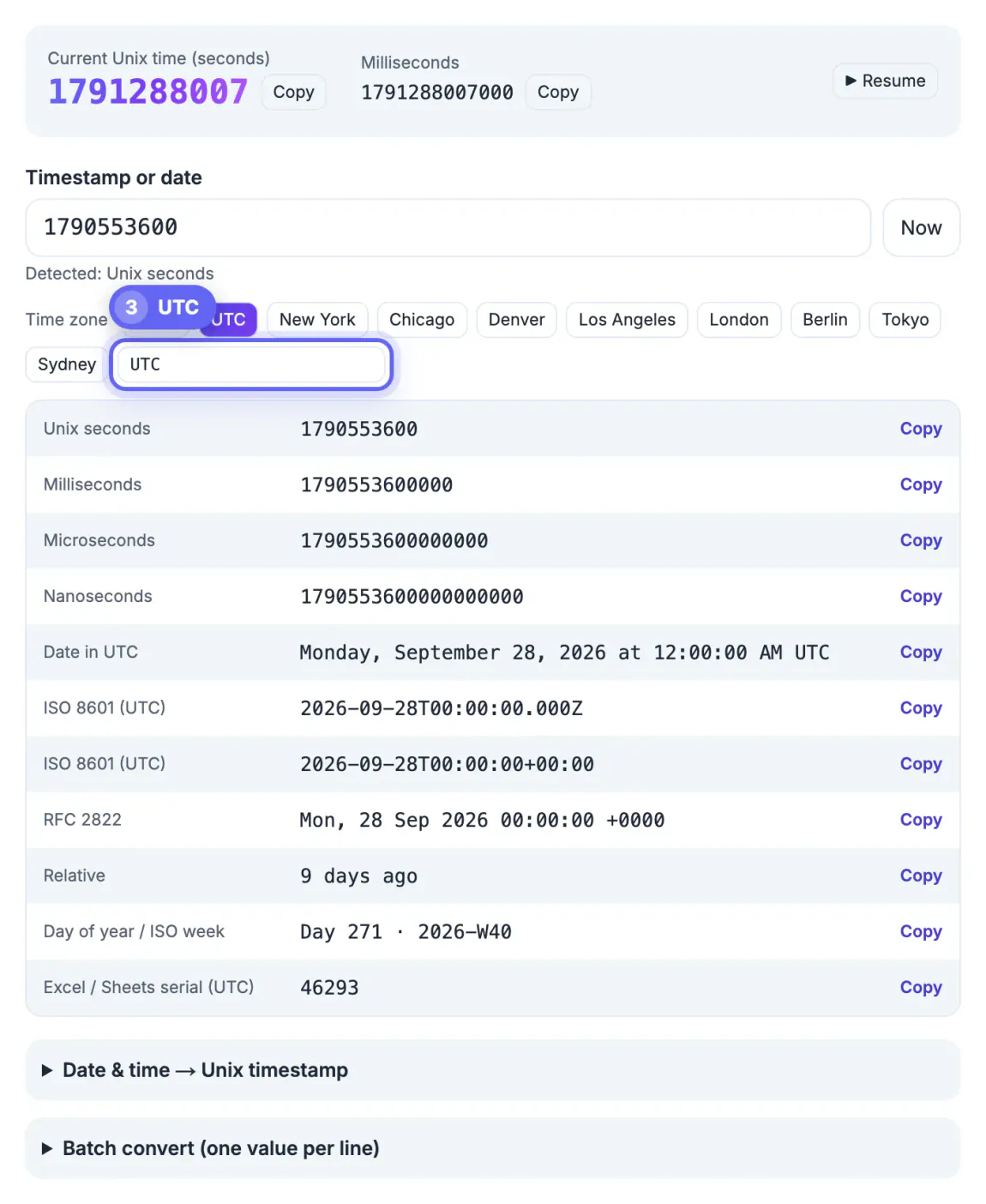
- Set the zone to UTC before exporting so every service shares one clock in your incident notes.
Sub-millisecond detail is not kept, so two events logged 300 microseconds apart will show the same ISO value. For ordering at that resolution, compare the raw integers directly after padding them to the same unit.
When logs include noisy lines, the Regex Tester can pull out the timestamp fields before you convert them.
Sentinel values that look like bugs
Some numbers show up constantly in logs and have nothing to do with real events. Recognizing them saves a lot of time.
- 0, or January 1, 1970, is almost always a missing value that got serialized as the default.
- -62135596800 is January 1 of year 1, the zero time in Go and the minimum date in .NET, and means unset.
- 2147483647 is 03:14:07 UTC on January 19, 2038, the largest signed 32-bit value, and hints at a clamped or overflowing field.
- 253402300799 is the last second of year 9999 used as never expires; it has 12 digits, so the main result reads it as milliseconds (1978), but the detected line adds If it is seconds instead: 9999-12-31T23:59:59.000Z.
If a cache entry, session or feature flag claims an expiry from one of these values, the bug is upstream in whatever wrote the field, not in the clock.
Step-by-step
Common mistakes to avoid
Pro tips
Frequently asked questions
Are JWT exp and iat in seconds or milliseconds?
Seconds. The JWT standard defines them as NumericDate, whole seconds since 1970 UTC. A 13-digit exp usually means a library wrote milliseconds by mistake.
Can the converter read HTTP date headers?
Yes. Paste values like Mon, 28 Sep 2026 14:30:00 GMT from Retry-After, Expires or Last-Modified and it converts them to epoch and ISO forms.
How do I compare nanosecond and millisecond log lines?
Paste both; the tool detects each unit by digit count and shows them on the same UTC timeline, down to the millisecond.
Why does 253402300799 show 1978 in the main results?
Twelve digits are read as milliseconds by default. Because that length is ambiguous, the detected line also shows the seconds reading, 9999-12-31T23:59:59.000Z, the usual never-expires sentinel.
Do my tokens or logs get uploaded?
No. Conversion uses your browser's own date functions, so nothing you paste leaves the tab.
Most 401s, 429s and rejected webhooks come down to one epoch number compared with the wrong now. Convert the claim or header, read how far it is from the present, check the host clocks for skew, and use Batch mode with UTC and the ISO column when you need a timeline across services that log in different precisions.
Related guides
Browse more: all text and developer guides · Unix Timestamp Converter