Podcast Audio Conversion: WAV to Loud, Tagged MP3
To convert audio for a podcast, export your edited episode as a WAV master, then turn it into an MP3 at 96 kbps mono for a talk show or 128 kbps stereo for a music-heavy one, normalized to about -16 LUFS and tagged with the episode title and cover art. GrabCast's free Audio Converter now handles all of that in one pass in your browser, along with guest recordings in M4A, FLAC or OGG and the audio track of a recorded video call. A 45-minute episode at 96 kbps lands around 32 MB. This walkthrough follows a two-person interview show from raw files to upload, and it is honest about what still belongs in your editor and your hosting dashboard.
🎵 Try Audio Converter now — freeOpen →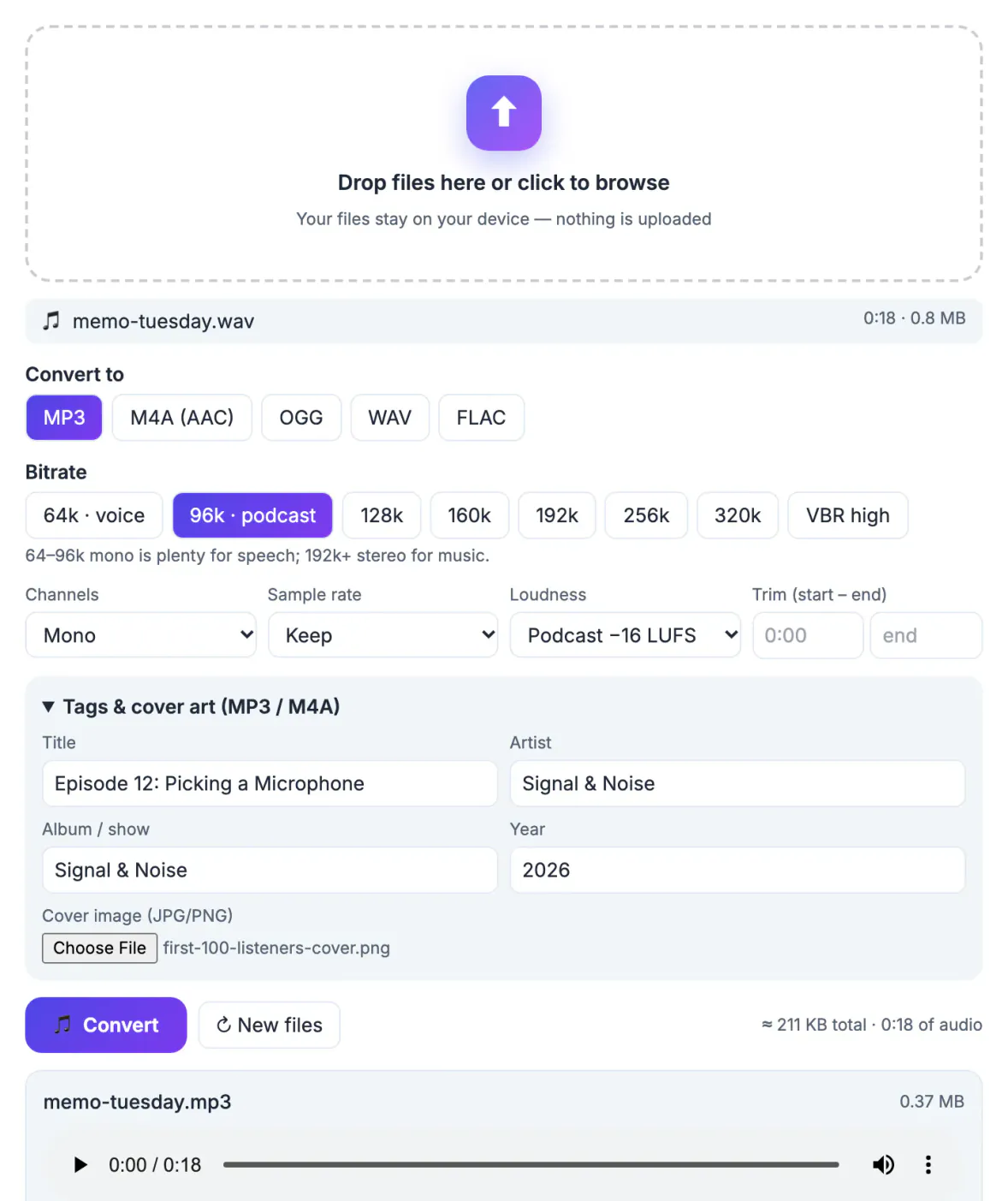
Listeners never see your file settings, but they feel them. A 300 MB WAV upload can fail on a slow connection or eat a host's monthly upload allowance. An episode much quieter than the show before it in someone's queue makes them reach for the volume, then get blasted by the next ad. Missing tags turn a downloaded file into a mystery called final_v3.mp3 on a listener's phone. None of this is hard, and once you settle on a recipe you reuse it every week. The goal is simple: keep a high-quality master for yourself and publish a lean, consistent, clearly labeled copy for the feed, the way a photographer keeps RAW files but posts JPEGs.
A podcast delivery spec you can copy
Hosting platforms such as Buzzsprout, Libsyn, Spotify for Creators and Transistor all accept MP3, and every major app plays it. Apple's podcast guidance points to MP3 or AAC and a loudness target near -16 LUFS with peaks below -1 dB. A sensible house spec:
- Format: MP3 for maximum compatibility with apps, smart speakers and car systems. M4A (AAC) is a fine alternative if your host accepts it.
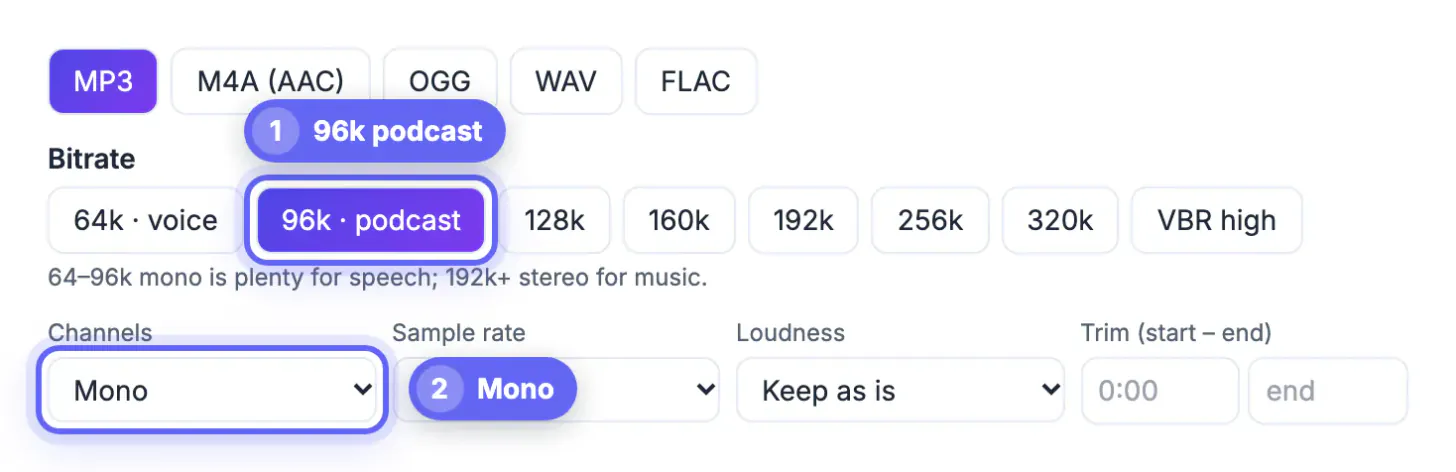
- Bitrate and channels: 96 kbps mono for voice-only shows; 128 kbps stereo when music beds or panned co-hosts matter; 192 kbps for music-first shows.
- Sample rate: 44.1 or 48 kHz. Keep leaves your master's rate alone; when loudness is applied without a chosen rate, the output is set to 48 kHz.
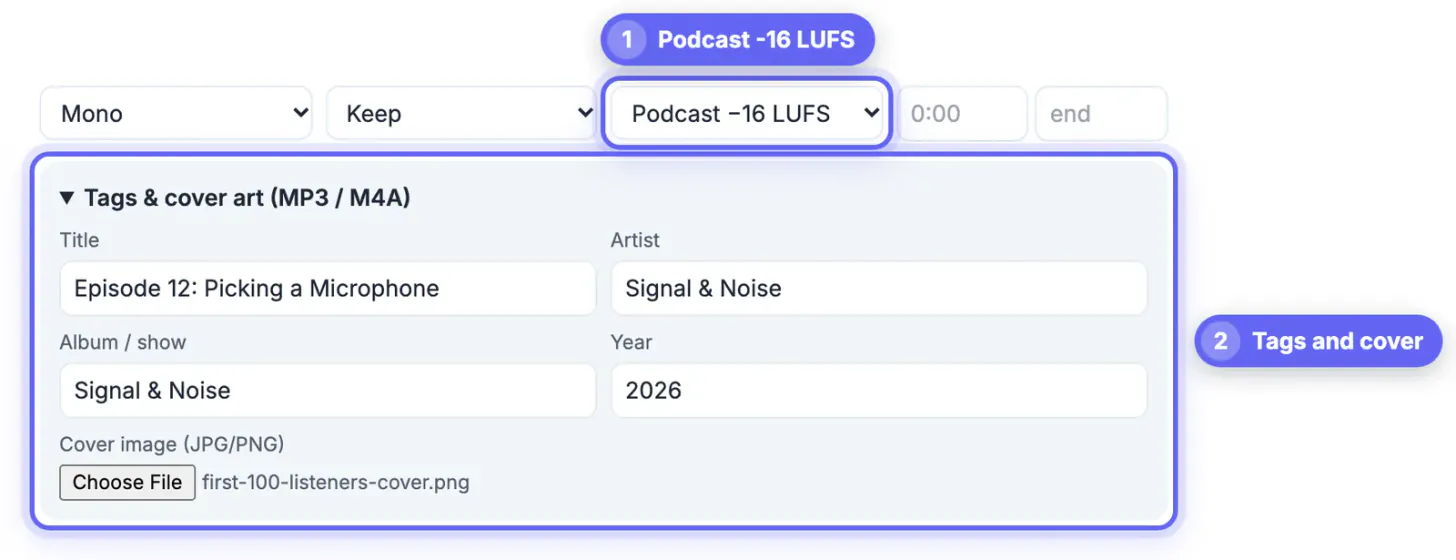
- Loudness: the Podcast preset targets -16 LUFS with true peaks at -1.5 dB.
- Size check: 96 kbps is 0.72 MB per minute, so a 45-minute episode is about 32 MB; at 128 kbps, about 43 MB.
Convert audio for a podcast from every source
Interview shows rarely get tidy files. The engine runs inside your browser tab, so raw interviews never leave your computer, and you can drop up to 30 files at once.
- Zoom or Riverside local recordings in M4A: choose WAV if you still need to edit (lossless, no further quality loss) or MP3 for a quick promo clip.
- A guest's phone voice memo: convert to WAV at 48 kHz so every track in your editor shares one format and rate.
- A video podcast recorded as MP4 or MOV: the converter pulls out just the soundtrack for the audio feed.
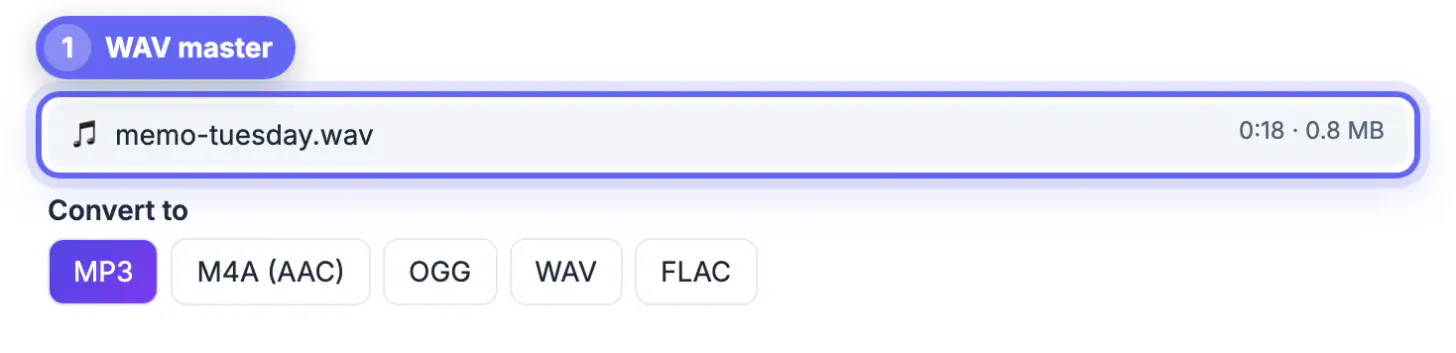
- Your finished master in WAV or FLAC: convert once to MP3 with the Podcast loudness preset, mono if it is a talk show, as the very last step.
- A back catalog: drop a season's worth of old episodes, apply one spec and download everything as a ZIP.
Trim start and end times are handy for cutting the countdown or the dead air after you stop talking, but real editing, like removing ums or leveling two voices against each other, still belongs in a multitrack editor such as Audacity, Reaper, GarageBand or Descript.
Loudness, tags and cover art in one pass
Three jobs that used to need separate apps now happen during conversion. Knowing how each works keeps expectations honest.
- Loudness: choose Podcast (-16 LUFS), Streaming (-14 LUFS, the level Spotify and YouTube play music at) or Broadcast (-23 LUFS, the European radio and TV standard; US television uses -24). The converter uses FFmpeg's single-pass loudnorm filter, which lands close to target; if a network demands exact compliance, confirm with a loudness meter.
- Tags: title, artist, album or show name and year are written as ID3 tags in MP3 files and as metadata in M4A. With one file the title is prefilled from the file name; in a batch, each file takes its own name as the title and shares the artist, show and year.
- Cover art: attach a square JPG or PNG and it is embedded in every MP3 or M4A, so the file shows your artwork in music players and when shared directly.
- The feed still rules: apps read episode titles, numbers and show art from your host's RSS feed, so fill in the hosting dashboard too. Embedded tags matter most when the file itself is downloaded, emailed or archived.
After upload: transcripts, clips and archiving
Once the MP3 is live, the same episode can work harder for search, social feeds and accessibility.
- Archive the WAV master and the published MP3 with the episode number in the name. If you re-edit, go back to the WAV, never the MP3.
- Transcribe the episode in GrabCast AI Studio, which runs Whisper models in your browser and exports TXT, SRT, VTT or DOCX for show notes and captions.
- Turn a 30-second highlight into a waveform video with cover art and a title in Audio to Waveform Video, sized 9:16 for Reels and Shorts or 1:1 for feeds.
- Keep a checklist in the show's shared doc: master exported, converted with the Podcast preset, tags and cover set, uploaded, transcript posted.
Step-by-step
Common mistakes to avoid
Pro tips
Frequently asked questions
What format should a podcast episode be?
MP3 is the safest choice. Use 96 kbps mono for voice-only shows and 128 kbps stereo or higher when music matters. AAC in an M4A file is also widely accepted and sounds slightly better at the same bitrate.
Can the converter set loudness to -16 LUFS?
Yes. Choose the Podcast preset, which targets -16 LUFS with true peaks at -1.5 dB using FFmpeg's loudnorm filter. It is a single pass, so results land close to target rather than exactly on it.
Can I add episode titles and cover art to the file?
Yes, for MP3 and M4A: title, artist, album or show, year and a JPG or PNG cover. Your host's dashboard still controls what podcast apps display from the feed.
Are unreleased interviews uploaded anywhere?
No. Conversion runs on your device with a WebAssembly build of FFmpeg, so files stay on your computer. Only the engine downloads, once.
Mono or stereo for a voice-only show?
Mono. It lets you use 96 or even 64 kbps with clean speech. Stereo makes sense when music beds, sound design or panned co-hosts are part of the show.
Edit in WAV, then convert once: MP3 at 96 kbps mono or 128 kbps stereo, Podcast loudness at -16 LUFS, tags and cover art filled in. Upload, update the hosting dashboard, and keep the master.
Related guides
Browse more: all video and audio guides · Audio Converter