MP3 Bitrate and File Size: Shrink Audio Without Guesswork
To reduce MP3 file size, re-encode the audio at a lower bitrate: an MP3's size is almost exactly bitrate multiplied by running time, so halving one halves the other. A 60-minute recording at 320 kbps weighs about 144 MB, at 128 kbps about 58 MB and at 64 kbps about 29 MB. GrabCast's free Audio Converter does this in your browser with eight choices, from 64 kbps for voice up to 320 kbps plus an MP3 VBR mode, and it shows the estimated output size before you convert. Below is the formula, a per-minute table, what your ears actually lose at each step, how mono, sample rate and trimming change the picture, and the cases where a lower number will not help at all.
🎵 Try Audio Converter now — freeOpen →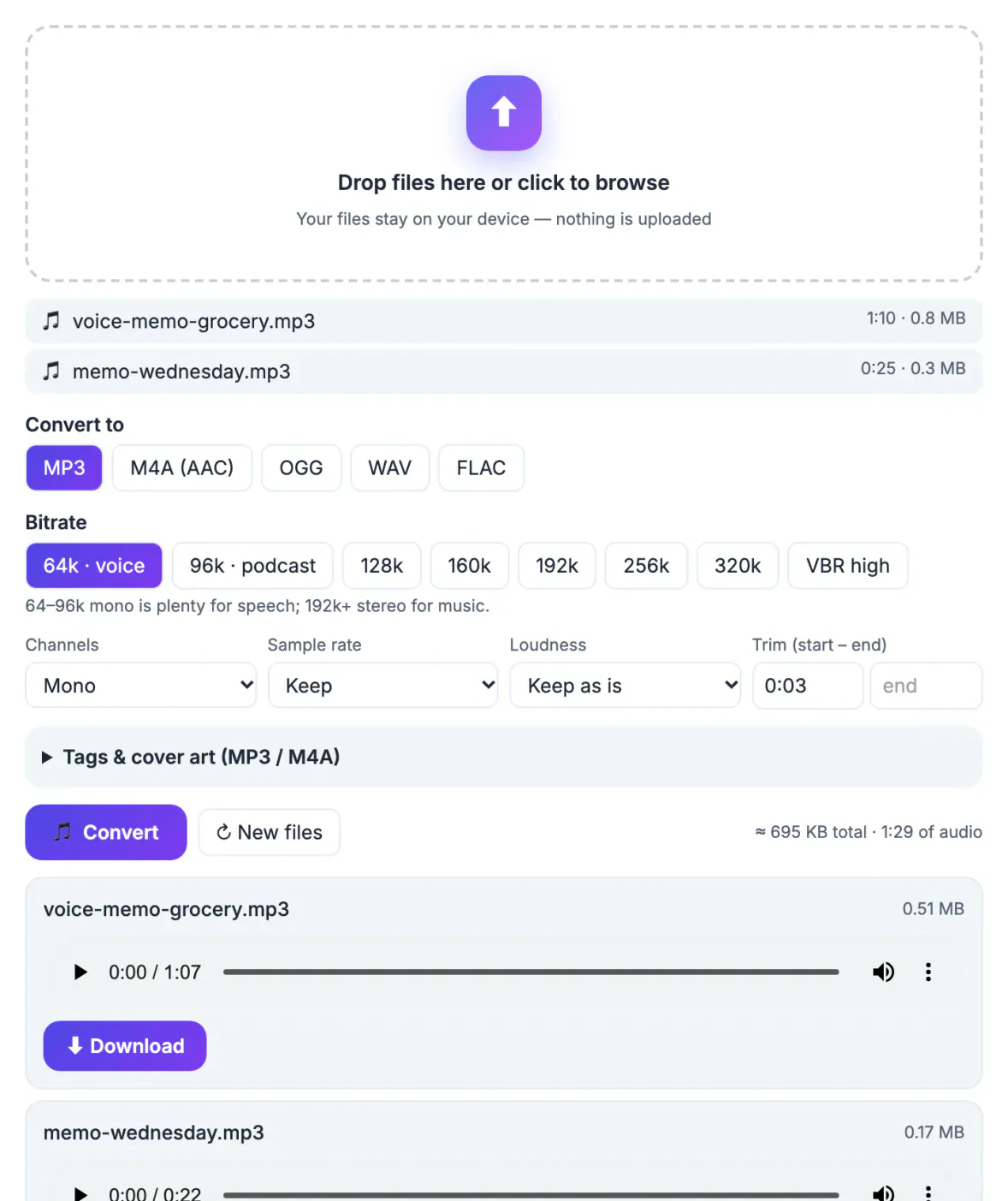
Unlike a photo, where resolution, compression and content all interact, a constant-bitrate MP3 is simple arithmetic. The encoder spends a fixed number of bits on every second of sound, whether it is silence or a full orchestra. That predictability is useful: you can work out in advance whether a lecture will fit under an email limit or how many albums will fit on a car's USB stick. It also explains why lowering the bitrate and cutting running time are the only real ways to make a file smaller. Zipping an MP3 barely changes it, because the audio is already compressed. The practical question is never which setting is best in the abstract, but which is the lowest one that still sounds fine on the speakers your listeners use, for the kind of material you recorded: a spoken sermon, a string quartet and a hip-hop mix each tolerate compression differently.
The MP3 bitrate math in one line
Megabytes per minute equals kilobits per second times 60, divided by 8, divided by 1,000. The quick version: multiply the kbps by 0.0075.
- 64 kbps: about 0.48 MB per minute, 29 MB per hour. The converter labels it voice.
- 96 kbps: about 0.72 MB per minute, 43 MB per hour, labeled podcast.
- 128 kbps: about 0.96 MB per minute, 58 MB per hour. 160 kbps sits at 1.2 MB per minute.
- 192 kbps, the default: about 1.44 MB per minute, 86 MB per hour.
- 256 and 320 kbps: about 1.92 and 2.4 MB per minute, or 115 and 144 MB per hour.
- VBR high: the encoder varies the rate with the music, averaging roughly 170 to 210 kbps, so the size is only an estimate until you convert.
For comparison, an uncompressed CD-quality WAV runs at 1,411 kbps, roughly 10.6 MB per minute, so a WAV turned into a 128 kbps MP3 shrinks by about 90 percent. Real files come out slightly larger because of tags and cover art, but the converter's estimate is usually within a few percent.
What you hear at each MP3 bitrate
Listening tests vary by person, headphones and material, so treat these as practical guidelines rather than laws.
- 320 kbps: indistinguishable from the source for nearly everyone. Worth it only for music you archive or play on a very good system.
- VBR high, 256 and 192 kbps: most listeners cannot tell these from 320 on earbuds, car stereos or laptop speakers. VBR spends more bits on busy passages and fewer on quiet ones, so it often sounds as good as 256 at a smaller average size.
- 128 and 160 kbps: speech is perfectly clear. On dense rock or orchestral music, trained ears may notice swishy cymbals and a less open top end.
- 96 kbps: still clean for talk if the file is mono; music starts to sound thin and watery.
- 64 kbps: fine for a mono lecture, voicemail archive or audiobook draft. Music at 64 kbps stereo sounds clearly degraded.
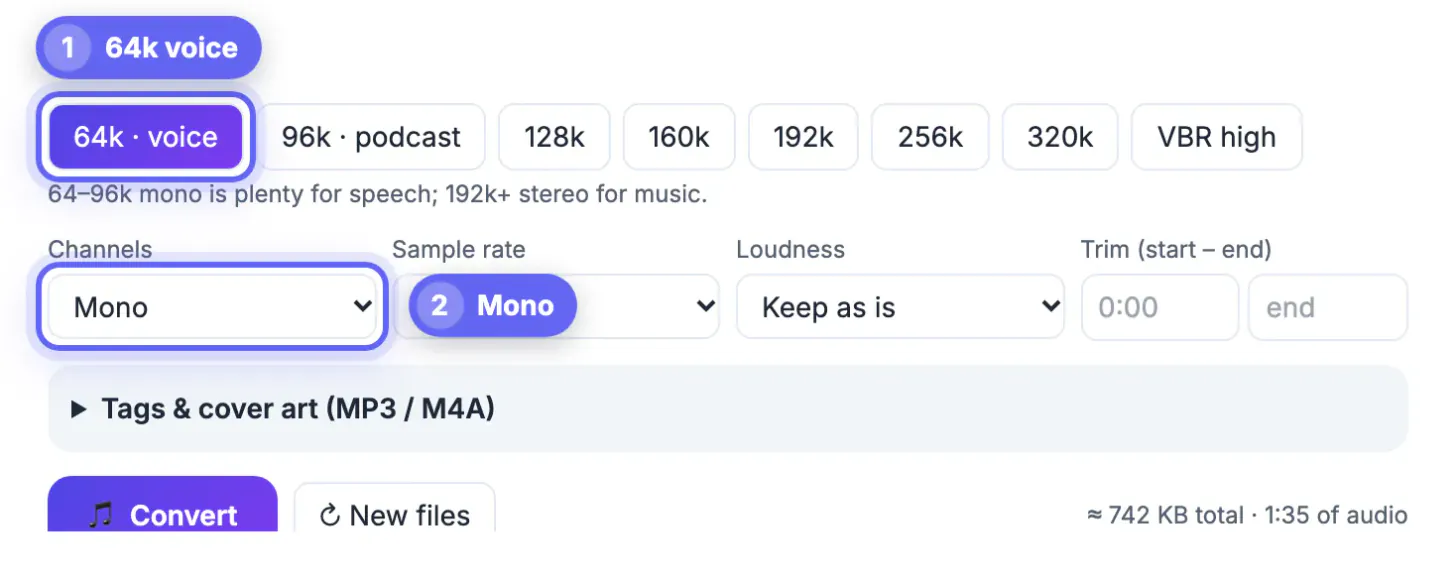
The converter's own hint sums it up: 64 to 96 kbps mono is plenty for speech, 192 kbps and up in stereo for music.
Mono, sample rate and trimming: the other size levers
Bitrate sets the size of an MP3, but three related settings decide how good that size sounds, and one of them shrinks files outright.
- Mono does not shrink an MP3 by itself, because the size still follows the bitrate. What it does is spend every bit on one channel, so a 64 kbps mono voice file sounds about as clean as 128 kbps stereo. For solo speech, pick Mono and then drop the bitrate.
- Sample rate: Keep is the right choice for music. Dropping to 32 or 22.05 kHz cuts off high frequencies, which can make very low-bitrate speech sound less swirly, but it does not reduce an MP3's size at a fixed bitrate. For WAV and FLAC, a lower rate and mono do reduce size directly.
- Trim: enter a start and end time, such as 0:45 and 58:10, to drop a long pre-roll or a silent tail. Ten minutes of dead air at 192 kbps is 14 MB.
- Format: M4A (AAC) usually sounds a bit better than MP3 at the same bitrate, though some older car stereos and upload forms accept only MP3.
The estimate beside the Convert button updates as you change trim, channels and sample rate, so you can aim for a target such as the 25 MB email limit before encoding anything.
To drop dead air at the ends of a recording, use the Audio Cutter and the Remove Silence tool before you pick a bitrate.
Shrink a batch of MP3 files in your browser
The converter runs a WebAssembly build of the open-source FFmpeg engine inside your browser tab, so files are not uploaded. The first run downloads the engine once; after that, a typical song converts in seconds.
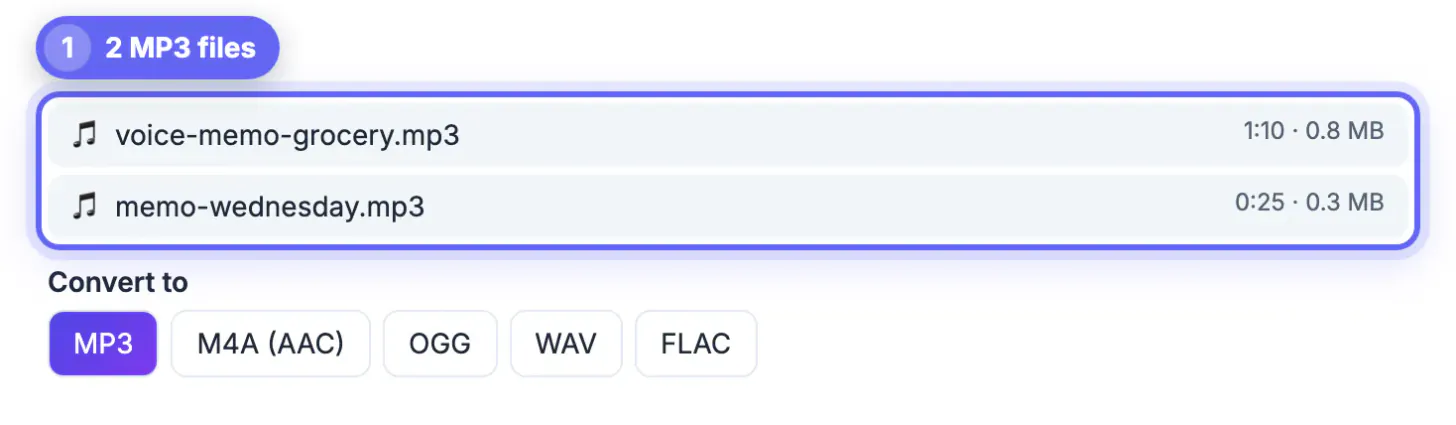
- Drop up to 30 audio or video files at once. Each shows its length and current size.
- Choose MP3 and a bitrate, and set channels, sample rate or trim if needed; the same settings apply to every file.
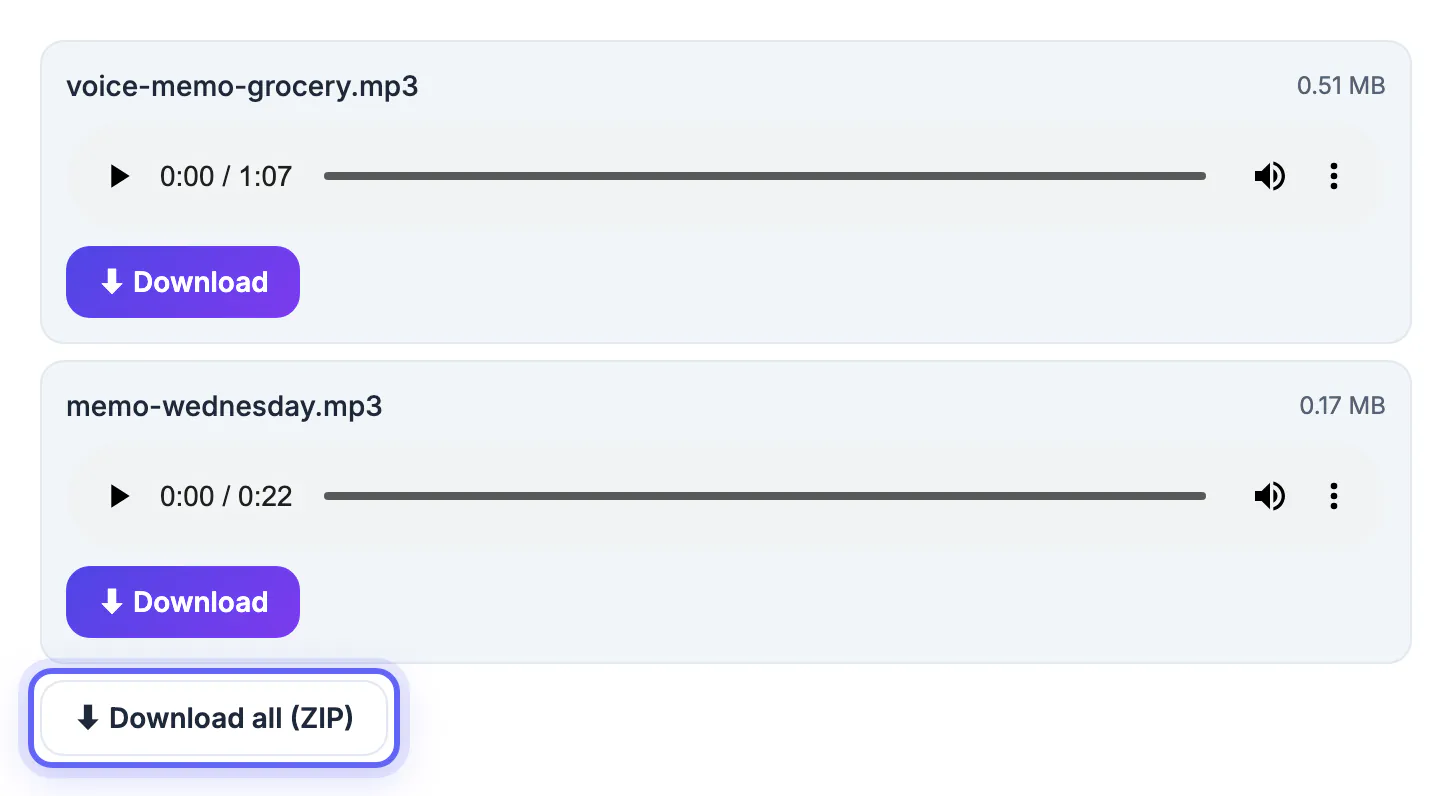
- Click Convert, play any result in its preview player and check the new size.
- Download files one by one or grab them all as a single ZIP.
When a lower number will not help: converting a 128 kbps download up to 320 makes it 2.5 times larger with no audible gain, and every lossy-to-lossy pass throws away a little more detail. Start from the best source you have, ideally the WAV or the 320 kbps copy, and if a file is already 128 kbps, re-encoding at 128 changes almost nothing; check the current rate in your computer's file info first.
Step-by-step
Common mistakes to avoid
Pro tips
Frequently asked questions
How much smaller will my MP3 get?
Roughly in proportion to the bitrate. Going from 320 to 128 kbps cuts size by about 60 percent; from 192 to 96, by half. A 3-minute song drops from about 7.2 MB at 320 kbps to about 2.9 MB at 128.
What is the lowest bitrate the converter offers?
64 kbps, labeled for voice, followed by 96 kbps for podcasts. The full list is 64, 96, 128, 160, 192, 256 and 320 kbps, plus VBR high for MP3. WAV and FLAC are lossless, so they have no bitrate setting.
Does switching to mono make the file smaller?
Not at the same bitrate, because MP3 size follows bitrate. Mono lets you choose a lower bitrate without losing clarity, which is where the saving comes from.
Is my audio uploaded?
No. Conversion runs in your browser with a WebAssembly build of FFmpeg, and the result is created on your device. Only the engine is downloaded, once.
Will a lower bitrate change the length or speed?
No. Duration, pitch and speed stay the same unless you set a trim. Only the detail per second changes, which mostly affects cymbals, breath noise and room ambience.
MP3 size is bitrate times time. Choose 64 to 96 kbps mono for speech and 192 kbps or VBR for music, trim dead air, start from the best source you have and never convert upward.
Related guides
Browse more: all video and audio guides · Audio Converter