MKV to MP4 for Phones, TVs and Editors That Refuse MKV
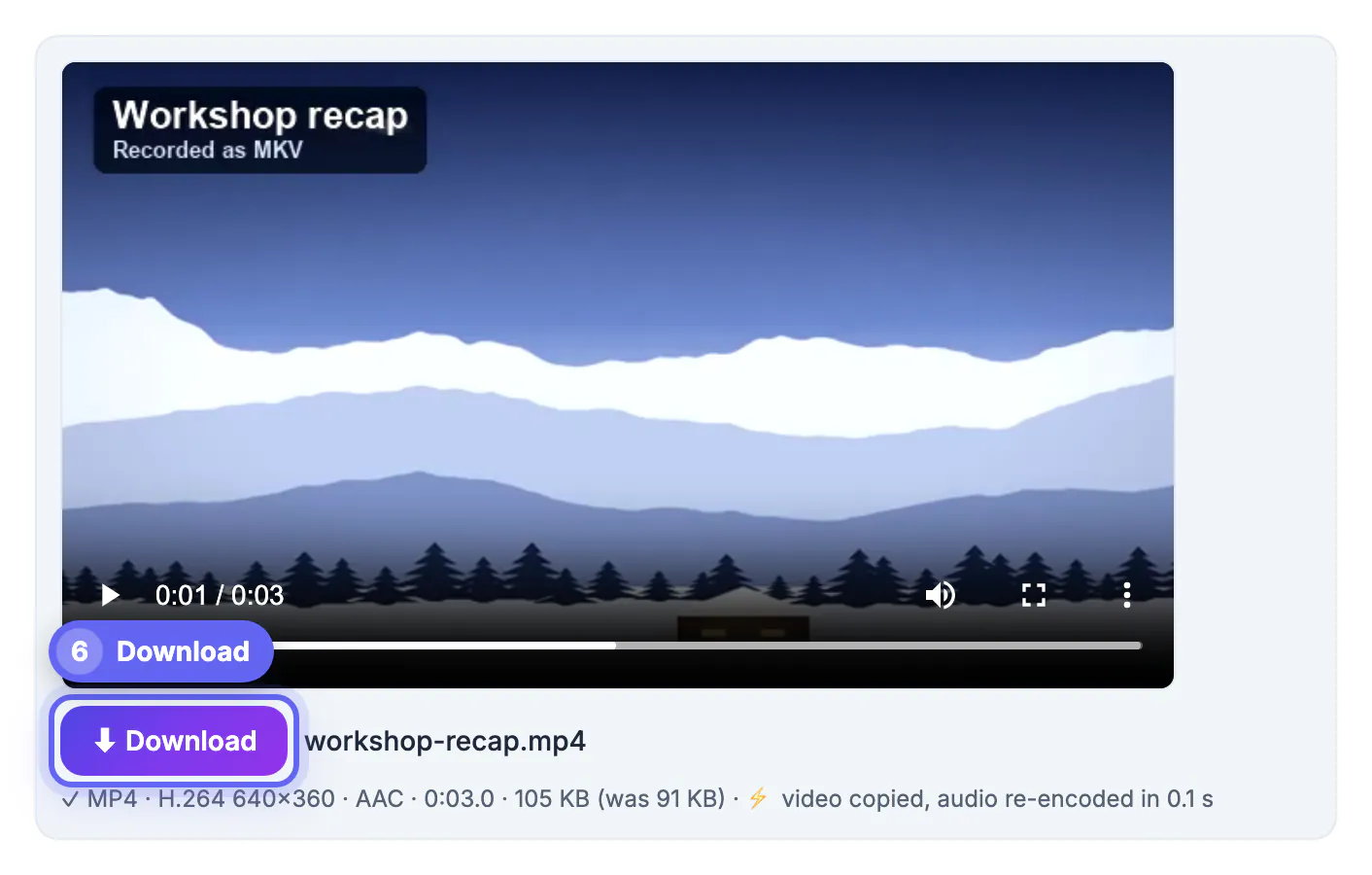
Converting MKV to MP4 is the quickest fix when a phone, smart TV, video editor or upload form refuses an .mkv file. MKV is a flexible container used by many screen recorders, streaming software and cameras, but support for it is patchy outside desktop media players. In many cases the video inside is already H.264 and can be copied untouched, while only the audio needs converting because MP4 players expect AAC. GrabCast's Video Converter detects that and labels the file Video copied · audio → AAC. In the example, workshop-recap.mkv with Opus sound becomes an MP4 in a fraction of a second. Below: how to read the codecs, what MKV features do not survive, and when MOV is a better target.
🔄 Try Video Converter now — freeOpen →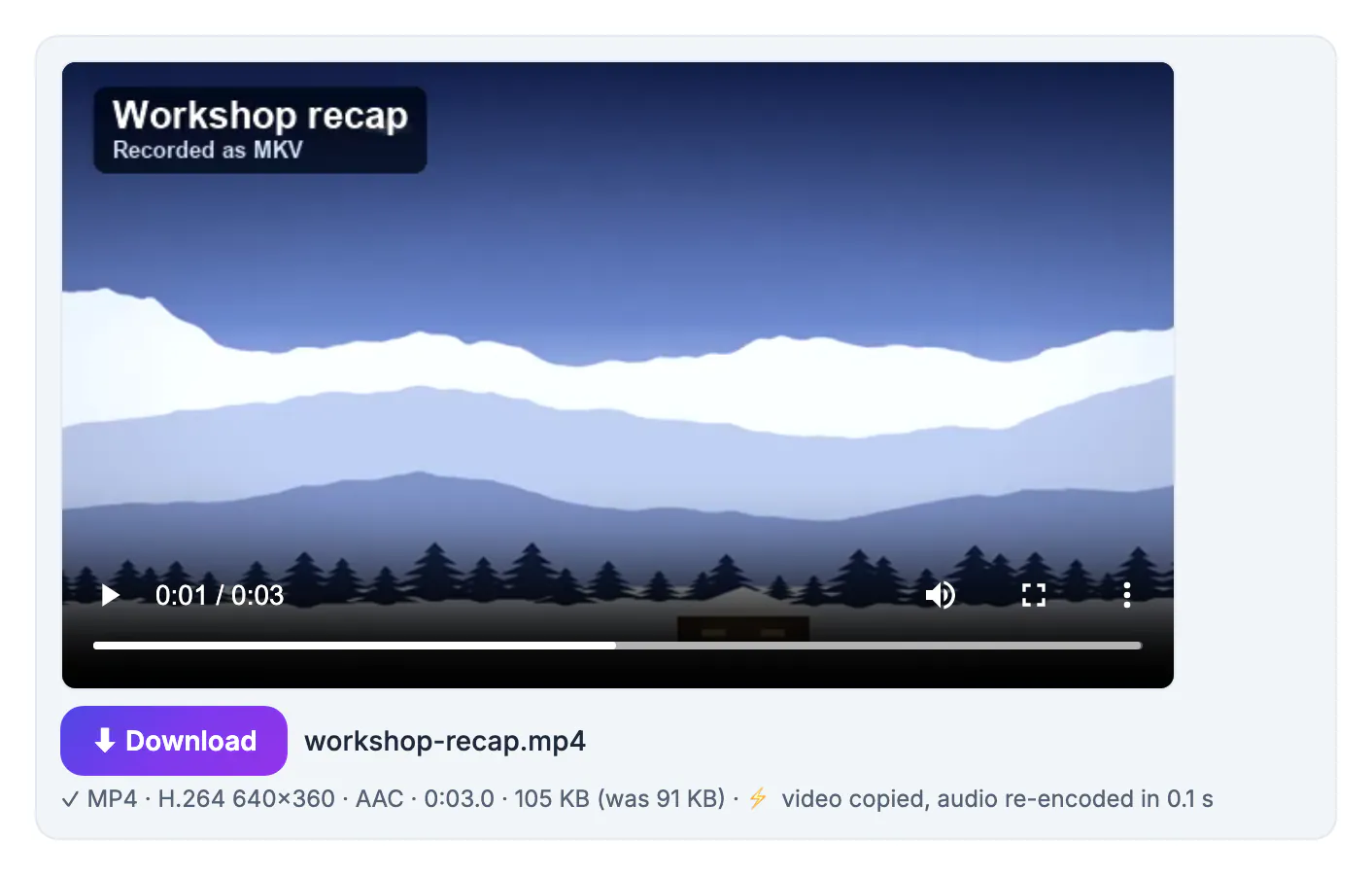
MKV, short for Matroska, can hold almost any codec, several audio languages, subtitle tracks, chapters and attachments in one file. That flexibility is why recording and archiving software likes it, and also why playback support is uneven. Phones, TVs, game consoles, editors and social platforms have to support every combination to promise MKV playback, so many simply do not, or accept the video and silently drop audio they cannot decode, such as Opus, FLAC or AC-3. MP4 is narrower and far more predictable: H.264 video with AAC audio plays nearly everywhere. Converting is therefore less about quality and more about compatibility, and the best conversion changes as little as possible. When the video stream is already H.264, copying it avoids a long re-encode and any loss, and only the audio track, which is tiny in comparison, needs new encoding. Doing that locally also keeps screen recordings of internal tools or meetings off third-party servers.
Reading the codecs of an MKV file
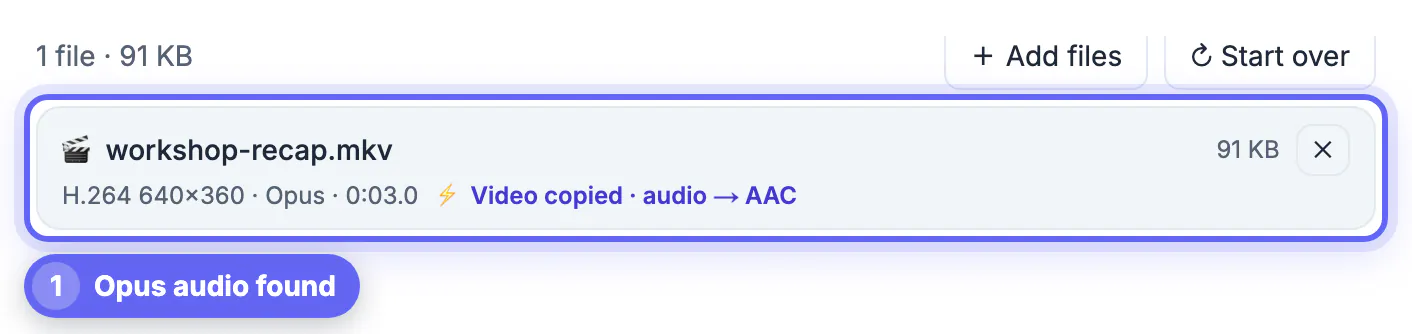
Each file row shows the codecs found inside and what the converter will do with the current settings.
- The example reads H.264 640×360 · Opus · 0:03.0 with the badge Video copied · audio → AAC.
- H.264 video with AAC or MP3 audio would read Fast copy · no quality loss, since both already fit MP4.
- HEVC, VP8, VP9, MPEG-4 or other video codecs are re-encoded to H.264 for MP4 output.
- AV1 video cannot be decoded by the in-browser engine; it can only be moved into MP4 or WebM with Fast copy at the original resolution.
- A file without a readable video track shows a warning suggesting MP3 or M4A instead.
Reading the badge before converting tells you whether the job will take seconds or minutes, which is useful when a folder of long recordings is waiting.
Audio conversion from Opus, AC-3 or FLAC
Audio is the usual reason an MKV will not play properly after a simple rename, and it is cheap to fix.
- Opus, Vorbis, AC-3, FLAC and other audio formats are converted to AAC when the target is MP4.
- The Quality preset sets the AAC bitrate: 192 kbps for High, 160 kbps for Balanced and 128 kbps for Smaller file.
- Surround tracks with more than two channels are mixed down to stereo when the audio is re-encoded.
- Only the first audio track is kept, so choose the right language before recording or in your media player.
- In the example the result is 105 KB compared with 91 KB before, the difference coming from the AAC soundtrack.
For spoken recordings such as meetings, lessons and talks, Balanced at 160 kbps is more than enough; the difference from High is only audible on music.
What an MKV to MP4 conversion drops
MP4 output carries the essentials. A few MKV extras do not come along, and it is worth knowing before you delete the original.
- Subtitle tracks are not copied; burn them in with the subtitle tools or keep a separate .srt file.
- Extra audio tracks, such as a second language or a commentary, are dropped; only the first is kept.
- Chapters and attachments such as fonts or cover images are not carried over.
- Frame rate, rotation and basic metadata such as the title are preserved.
- Keep the MKV as your archive copy if any of those extras matter.
Subtitle tracks are a common casualty; this subtitles guide shows how to load or rebuild them, and the Video Compressor shrinks big files.
MP4 or MOV as the target for MKV
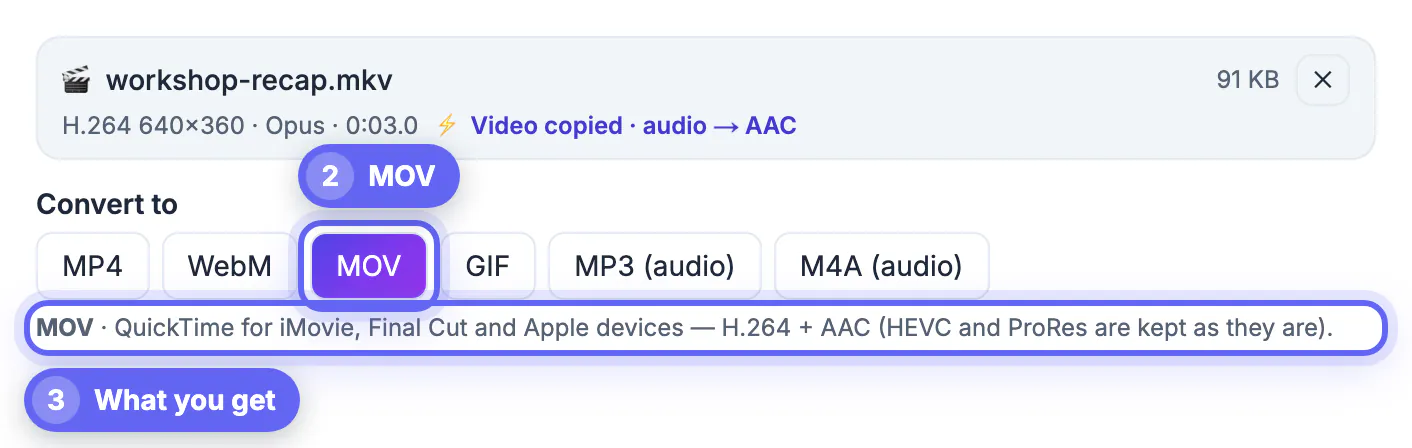
The Convert to row offers MP4, WebM, MOV, GIF, MP3 and M4A. For MKV sources, the first and third are the usual choices.
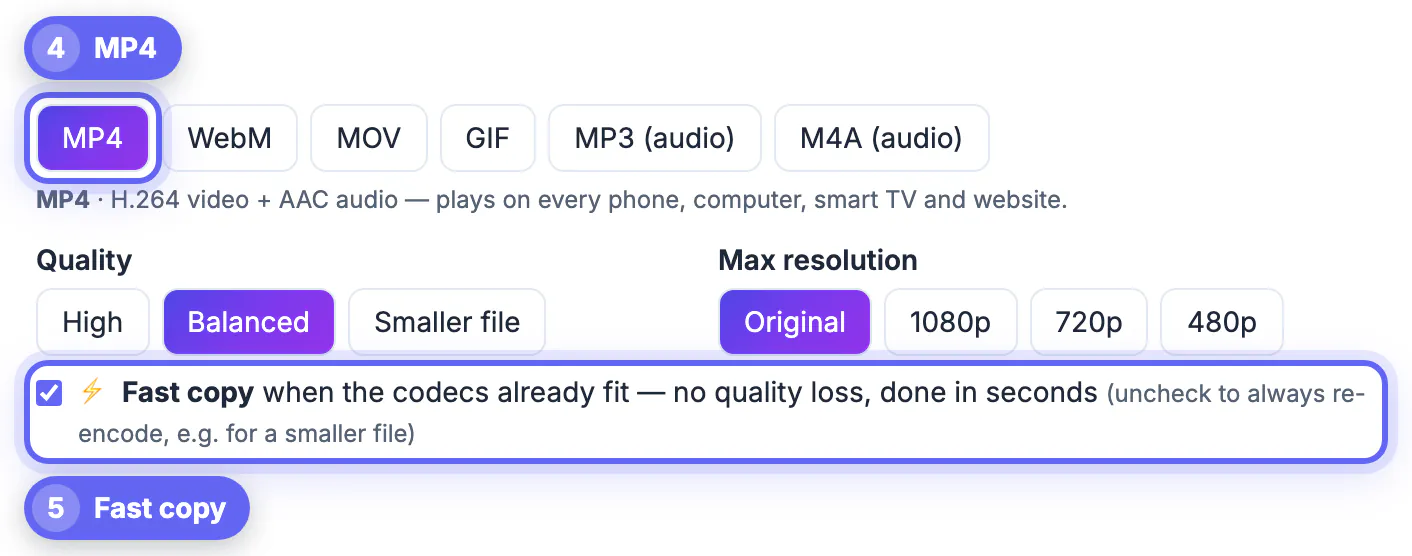
- MP4 is the safe default for phones, TVs, websites, messaging apps and most editors.
- MOV suits iMovie, Final Cut and other Apple tools, and keeps HEVC and ProRes video as they are.
- Both targets use Fast copy when the codecs allow it, so switching between them costs nothing to try.
- The note under the buttons explains each target, for example MOV · QuickTime for iMovie, Final Cut and Apple devices.
- Choose MP3 or M4A if you only need the soundtrack of a recording, such as a talk or a meeting.
Whichever target you pick, the verified line under each result confirms the container and codecs that were actually written, so there is no guesswork about the output.
Step-by-step
Common mistakes to avoid
Pro tips
Frequently asked questions
How do I convert MKV to MP4 without losing quality?
Keep Fast copy ticked. If the MKV contains H.264 video, the picture is copied untouched and only the audio is converted to AAC when needed.
Why does my MKV play without sound on my TV?
The audio is probably Opus, AC-3 or FLAC, which many TVs do not decode. Converting to MP4 turns it into AAC, which they do.
Will subtitles be kept?
No. Subtitle tracks, extra audio tracks and chapters are not carried into the converted file. Keep the MKV or a separate subtitle file if you need them.
Can it convert large MKV recordings?
There is no fixed limit, but everything happens in browser memory. The tool warns above about 700 MB on a computer and 150 MB on a phone; fast copy handles big files far more easily than re-encoding.
Are my files uploaded?
No. The converter runs on your device; the ffmpeg engine is downloaded once and cached, and your recordings stay local.
Most MKV problems are compatibility problems, not quality problems. Copy the H.264 video as it is, let the converter turn Opus or AC-3 into AAC, keep the original if you need its subtitles or extra tracks, and test the MP4 on the device that refused the MKV.
Related guides
Browse more: all video and audio guides · Video Converter