Crop Image to 9:16 for TikTok, Reels and Stories
To make a photo fill a phone screen in TikTok, Reels or Stories, crop image to 9:16 and export at 1080 x 1920 pixels. The shape is easy; the hard part is that each app lays buttons, captions and usernames over the top of your picture, so the outer edges are not really yours. This guide maps those overlay zones, explains why turning a landscape photo upright often looks soft, and shows when a blurred-background fit is the better move.
✂️ Try Crop Image now — freeOpen →
A 9:16 frame is almost twice as tall as it is wide, and very few photos start that way. A phone held upright shoots 3:4, so the crop drops about a quarter of the width. A landscape shot at 16:9 is worse: turning 1920 x 1080 into 9:16 leaves a column just 608 pixels wide, about 32 percent of the original, which then has to be stretched to 1080 and looks visibly soft. On top of that, TikTok, Instagram and YouTube Shorts all float interface elements over the image. Put a headline or a face in the wrong band and it disappears behind a like button or a caption. Planning the crop around those bands is what separates a clean slideshow or Story from one that looks accidental. Creators who build carousels in TikTok photo mode or Story sequences for a café, gym or real-estate listing post dozens of these frames a week. A consistent process, the same safe area and the same export size every time, saves more time than any single editing trick and keeps a feed looking professional.
Overlay safe zones on a 1080 x 1920 frame
Exact overlay sizes change with app updates and device, but these bands have held steady long enough to plan around. Treat them as keep-clear areas for text and faces.
- TikTok: roughly the top 150 pixels (Following and For You tabs), the bottom 400 to 480 (caption, sound, username), and a column about 140 wide on the right (like, comment, share)
- Instagram Reels: about the top 220 and bottom 420 pixels, plus the right-hand action column
- Instagram and Facebook Stories: about 250 pixels at the top (progress bar, profile) and 250 to 340 at the bottom (reply bar)
- YouTube Shorts: a similar right-side column and a bottom band for title and channel name
- A practical rule: keep essentials inside the central 1080 x 1420 area, nudged slightly left
Background texture can run edge to edge. Only the parts viewers must read or recognize need to stay inside the safe area.
Where your pixels come from: portrait, landscape, or screenshot
How well a 9:16 result turns out depends on the starting frame. Check the size readout in the box before committing.
- Upright phone photo, 3024 x 4032: becomes 2268 x 4032, plenty for a sharp 1080 x 1920
- Horizontal phone photo, 4032 x 3024: becomes 1701 x 3024, still fine
- 16:9 landscape, 1920 x 1080: only 608 x 1080 remains, which must be enlarged 1.8 times
- Phone screenshot: most modern phones are already close to 9:19.5, so trim a little from top and bottom
- Old 640-pixel files: too small for a clean result at any ratio
If the remaining width falls under about 900 pixels, the result will look soft on a large phone.
Hard crop or blurred fit?
Cutting removes the sides of a wide frame. A fit keeps the whole picture and fills the empty space above and below. Neither is always right.
- Cut when a single subject sits near the middle: a person, a plate of food, a product
- Fit when the width is the point: a group photo, a skyline, a slide or a chart
- Resize Image offers Fit plus blurred background at the Story, Reel and TikTok 9:16 preset, which fills the bars with a softened copy of the photo
- A solid background color works well when you plan to add text in the empty bands
A fit also gives you natural space for text above and below the photo, clear of most overlays.
Slideshows, photo mode and Story sequences
Photo-mode carousels and Instagram sequences show several pictures in a row, so consistency matters as much as any single frame.
- Frame every slide in the set with the same 9:16 preset so nothing jumps between slides
- Keep the subject at a similar height in each frame; eyes near the upper third line work well
- Leave the bottom 480 pixels calm on TikTok, where the caption covers the picture
- Export JPG for photos and PNG for slides with small text
Batch the finished files through the resizer to get every slide at exactly 1080 x 1920 in one ZIP.
Planning a vertical video from the same material? The Crop & Resize Video tool handles clips the same way.
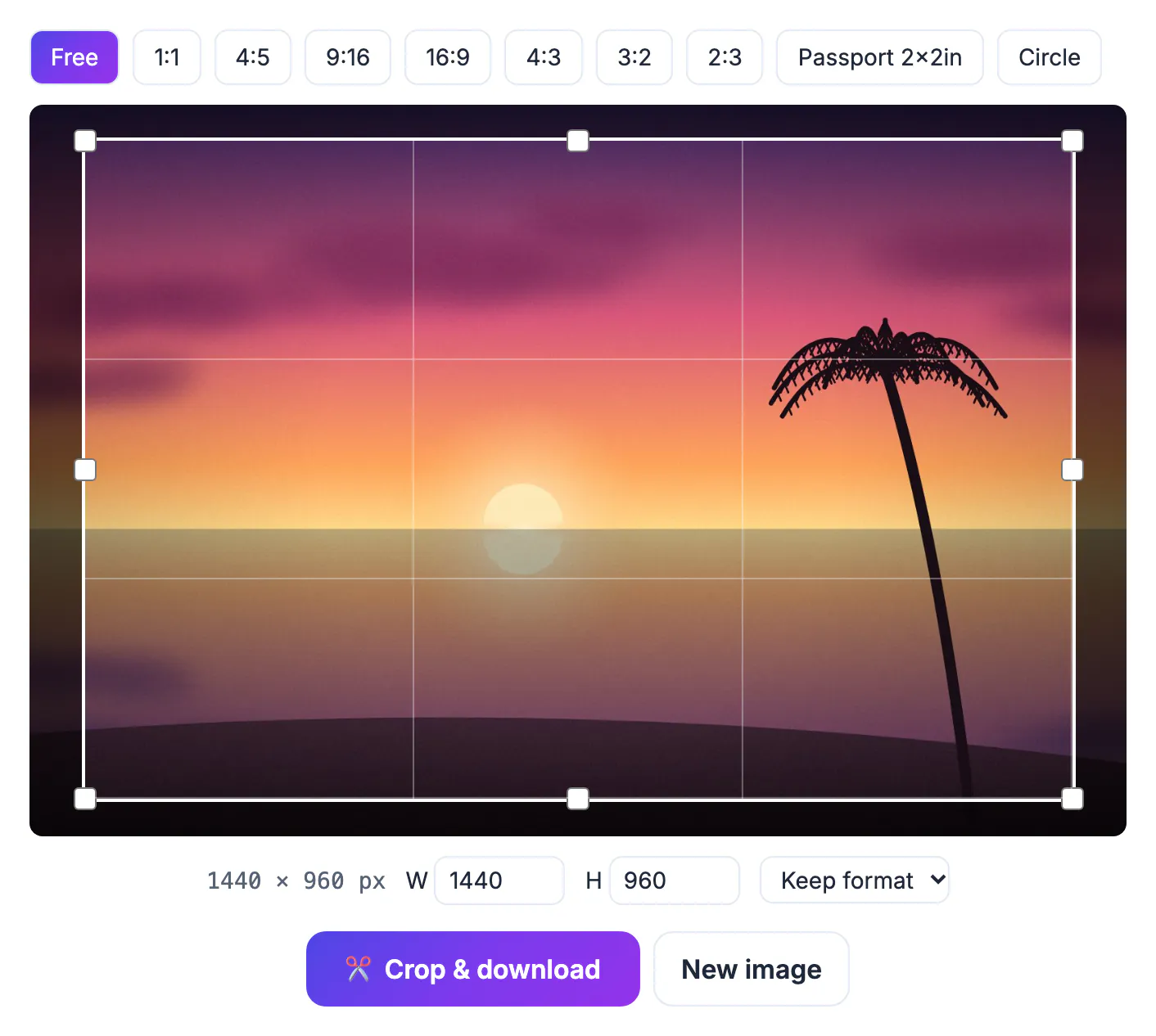
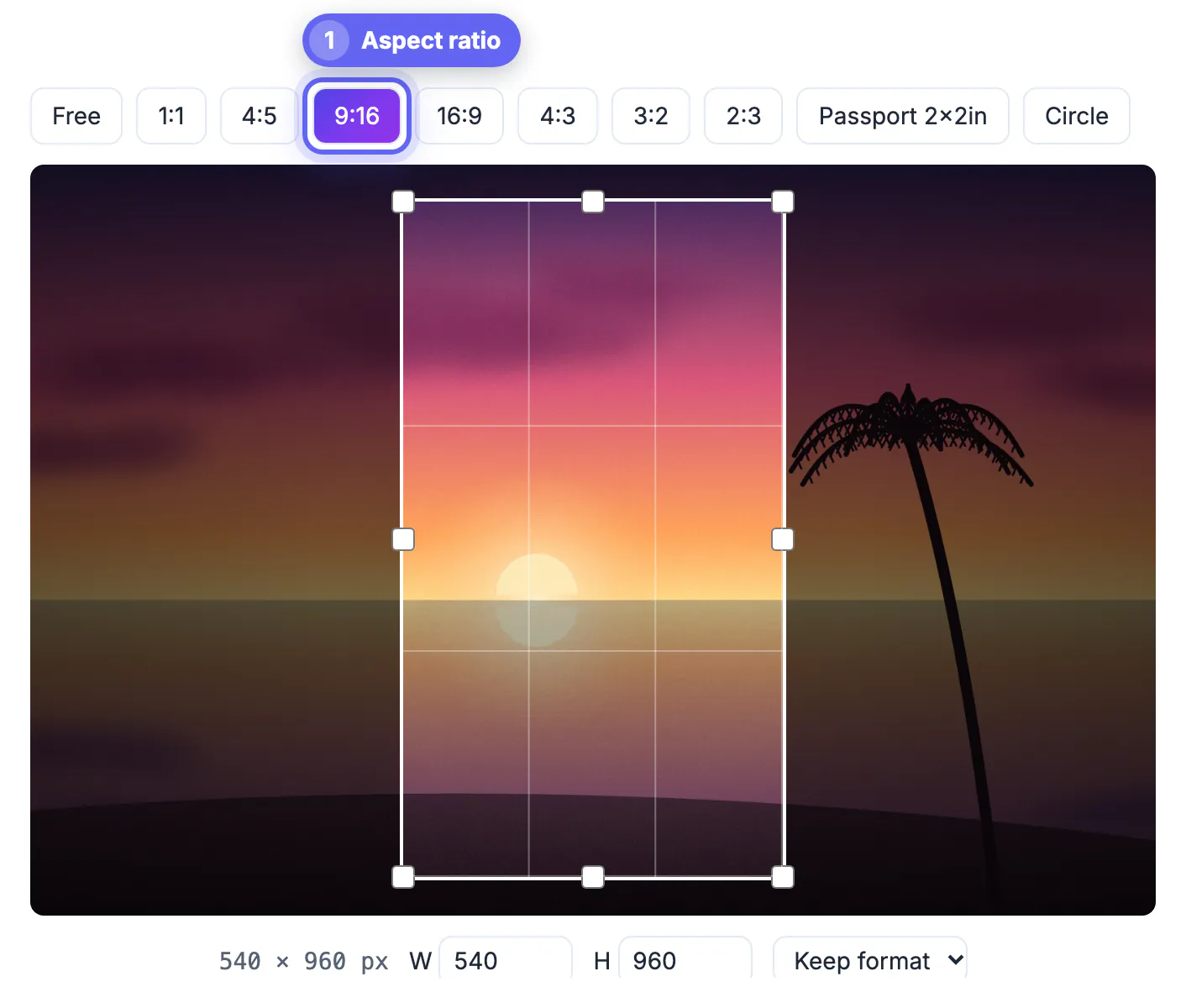
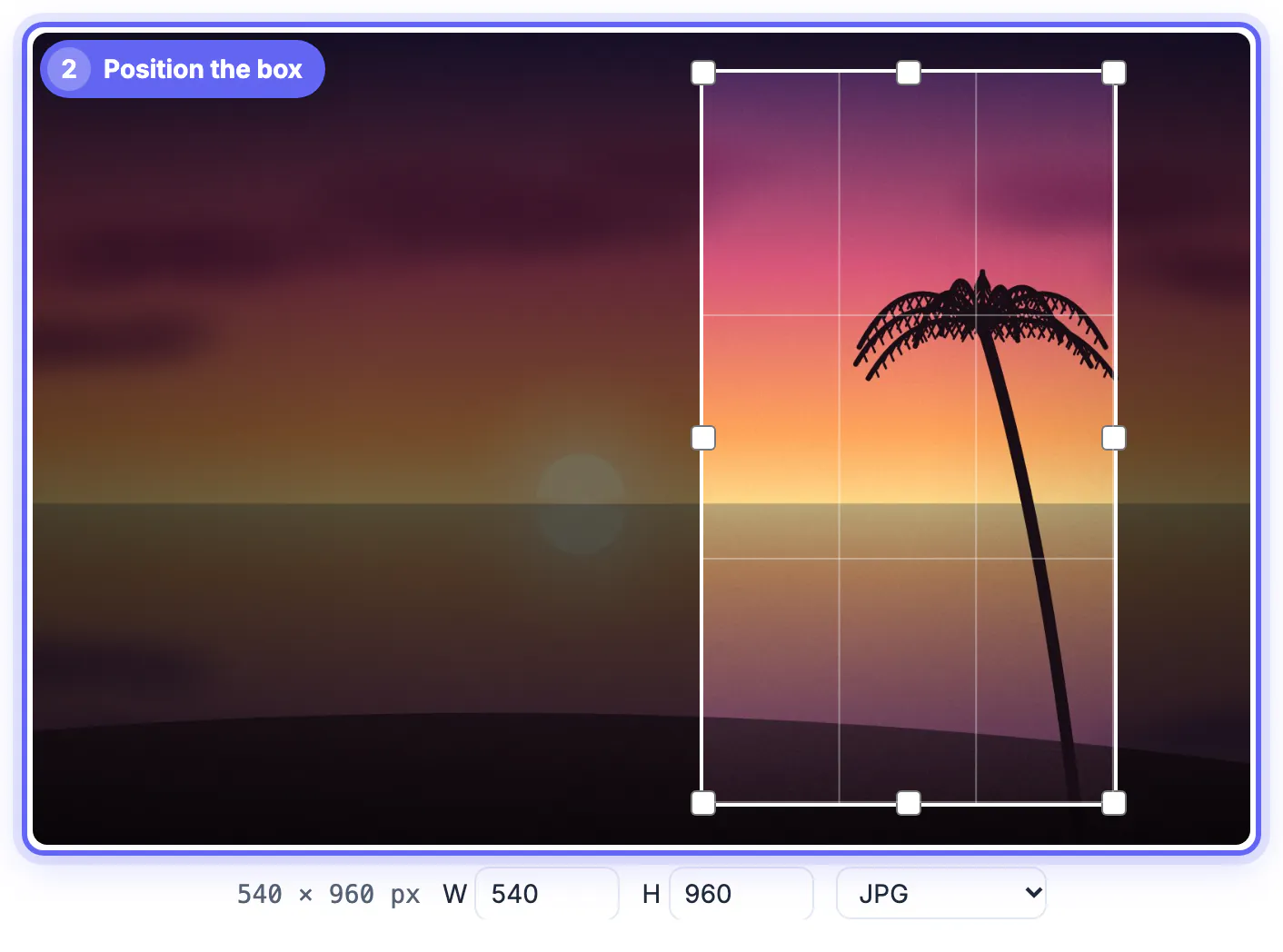
Step-by-step

Common mistakes to avoid
Pro tips
Frequently asked questions
What resolution is 9:16 for TikTok and Reels?
1080 x 1920 pixels. Larger files work but are downscaled, and smaller ones are enlarged and look soft. For photo mode carousels, keep every slide the same size so the swipe feels smooth.
Where should text go in a vertical image?
Inside the central 1080 x 1420 area, away from the top 150 to 250 pixels, the bottom 420 to 480, and the right-hand column of buttons. Overlay sizes shift slightly between phone models and app versions, so leave a little extra margin.
Can I turn a landscape photo into 9:16 without losing people?
Use a fit instead of a crop. Resize Image can place the whole photo in a 9:16 frame and fill the gaps with a blurred copy. The blur fill uses a softened, slightly darkened copy of your own picture, so colors still match.
Is 9:16 the same as a phone screenshot?
Close but not identical. Most newer phones are about 9:19.5, so trim a bit from the top and bottom to get a true 9:16. At 1080 pixels wide, that means removing about 420 rows in total from a 2340-pixel-tall capture.
Does the tool keep my image private?
Yes. The cropping runs in your browser, and nothing is uploaded to a server. You can use it on a phone right before posting, with no app to install.
Crop to 9:16 at 1080 x 1920, then keep faces and text inside the central area clear of the top tabs, bottom caption and right-hand buttons. When a wide photo would lose too much, use a blurred-background fit instead of forcing a crop.
Related guides
Browse more: all image guides · Crop Image