GIF From Photos: Order, Timing, Fades and Loops
To make a GIF from photos, add the pictures in the order they should play, give each frame a display time, choose a size and a transition, and encode. With the GrabCast GIF Maker all of this happens in your browser: your photos are drawn and encoded on your own device with the open-source gifenc library, and only the small encoder downloads the first time. The example here is a small shop's product slideshow, one plain mug in four glaze colors, looping with soft fades.
🎞️ Try GIF Maker now — freeOpen →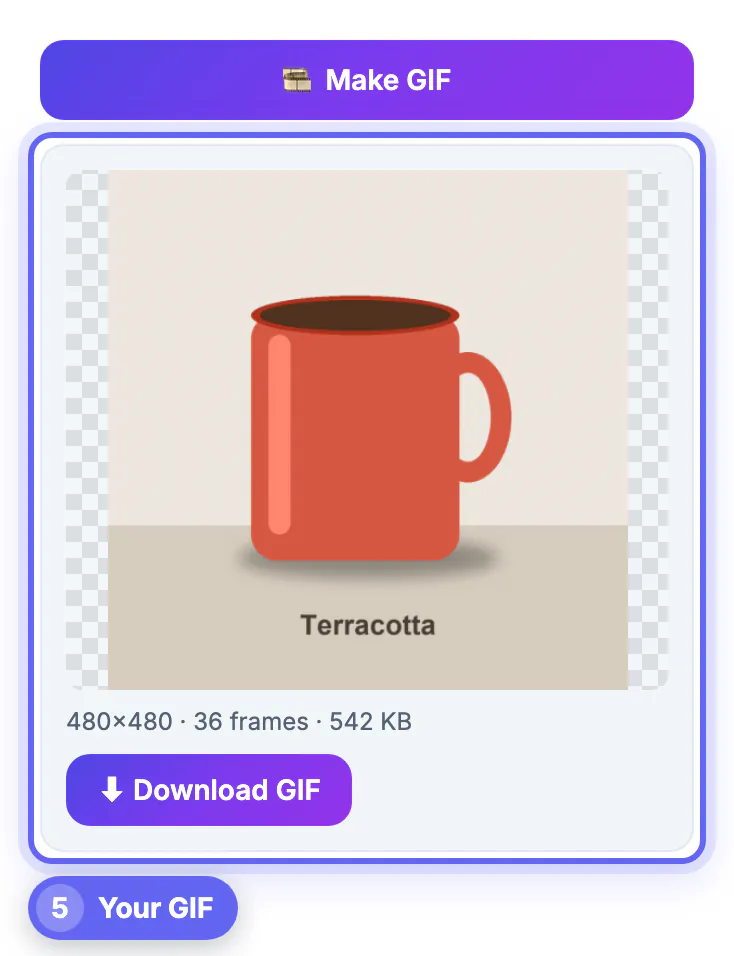
An animation shows variation that a single still cannot: every color of a product, each stage of a craft project, a floor plan filling in room by room. It plays automatically in chat apps, email clients, forums and slide decks that will not autoplay video, and it needs no play button or sound. The format is old and limited, 256 colors per frame and no audio, so a good result depends on sensible timing and size rather than on fancy effects.
Prepare the stills before you open the GIF maker
Most of the quality is decided before the first frame is added:
- Shoot or export every picture at the same framing and the same aspect ratio, so the subject does not jump between frames.
- Keep backgrounds consistent. The mug shots share one wall and one tabletop, which makes the fades look like the glaze is changing color.
- Name the files in playing order, such as 01-blue, 02-terracotta, so they land in the strip in sequence.
- Formats accepted: JPG, PNG, WebP, BMP, AVIF, HEIC and existing animated GIFs, up to 300 source frames.
Very large camera files are fine: each picture is scaled to at most 1080 pixels on its long side as it loads, so a batch of phone photos does not exhaust the browser's memory. If one picture is noticeably brighter or warmer than the rest, correct it in a photo editor first; in a loop, a single odd exposure flashes every time it comes around and looks like a mistake.
Want a caption on each frame? The Add Text to Image tool sets it before you build the GIF.
Frame order and timing: the settings that matter most
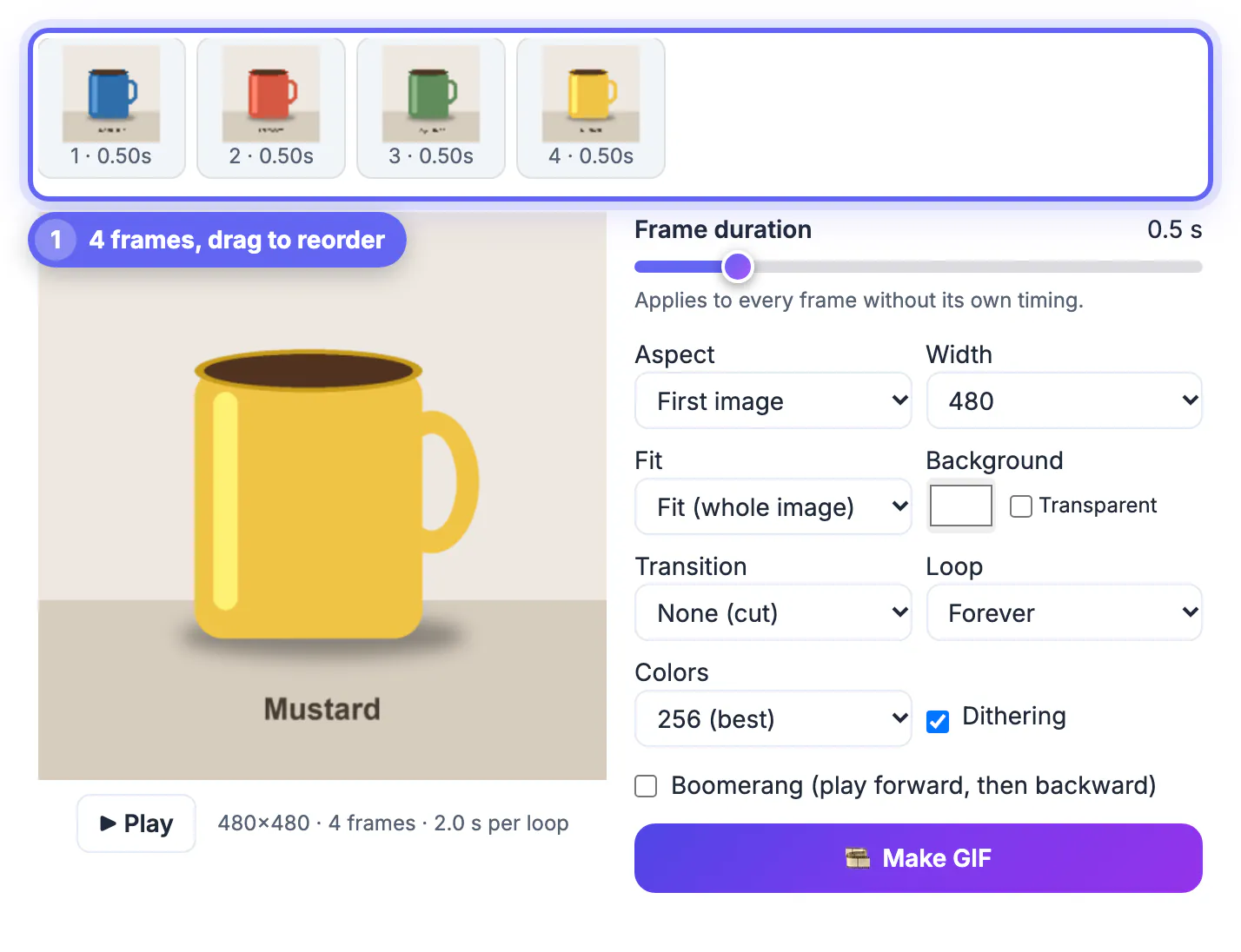
After loading, each picture appears as a thumbnail in the Frames strip with its duration underneath. Drag thumbnails to reorder, or use Reverse order to flip the whole sequence.
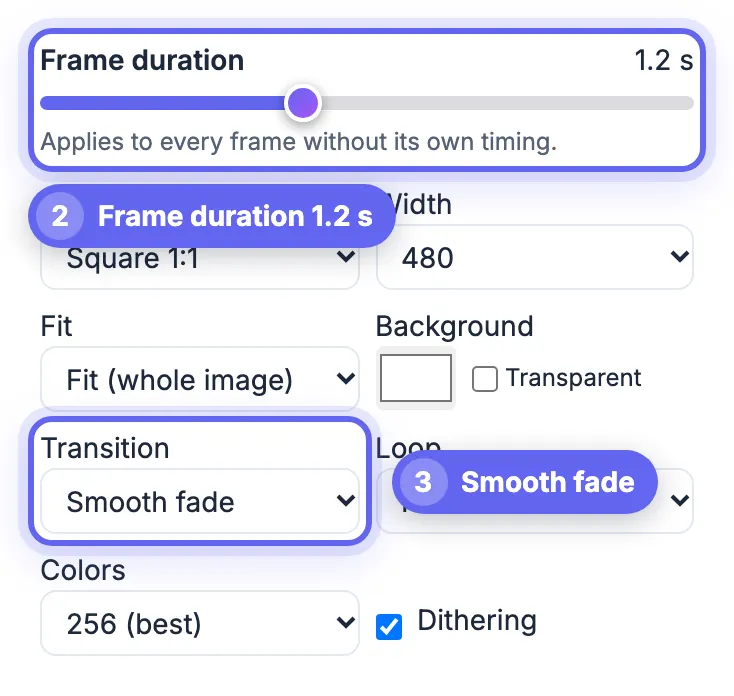
- Frame duration slider: sets a default time for every frame, from 0.02 to 3 seconds. Product slideshows read well at 1 to 1.5 seconds per color.
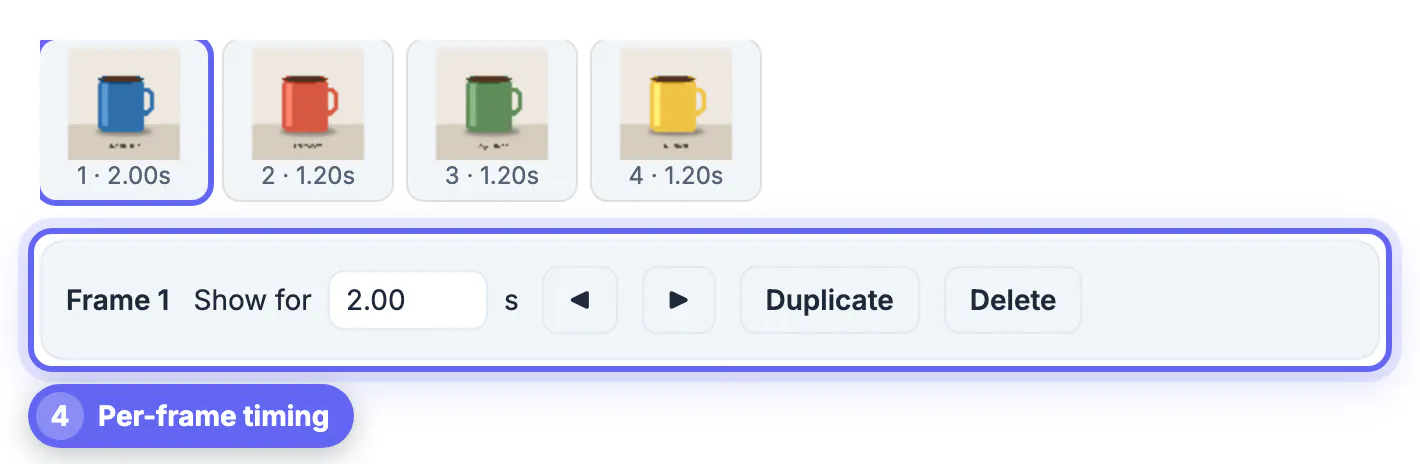
- Per-frame timing: click a thumbnail and type a value in Show for, up to 60 seconds. The example holds the first mug for 2 seconds so the loop has a clear starting point.
- Move, Duplicate and Delete sit next to the per-frame field for quick edits.
- The line under the preview shows the canvas size, frame count and seconds per loop, updated live.
A loop of 4 to 8 seconds keeps attention without feeling slow. The mug loop runs 5.6 seconds: 2 seconds for the first color and 1.2 for each of the other three. For a before-and-after pair, try 1.5 seconds on each state; for a recipe or craft sequence of eight steps, 1 second per step with a 3 second hold on the finished dish keeps the loop under 11 seconds.
Fades, boomerang and loop count
Transitions change the feel more than any other setting:
- None (cut): hard switches, best for comparisons where the viewer should notice each change.
- Quick fade and Smooth fade: blended in-between frames, 40 milliseconds each, added between your pictures. Smooth fade on four mugs produced 36 frames in the finished file.
- Boomerang: plays forward and then backward, useful for motion that should reverse, such as a door opening and closing. It needs at least three frames.
- Loop: Forever, Play once, 3 times or 5 times. Play once suits reveals that should end on the final frame.
Fades cost file size, because each blended frame is a full picture. If the file must be small, switch to cuts first before lowering quality elsewhere.
Size, fit, colors and the finished file
Aspect can follow the first image or be set to 1:1, 4:5, 9:16, 16:9 or 4:3, and Width runs from 240 to 1080 pixels. Fit shows the whole picture with the background color around it; Fill crops to cover the frame.
- 480 pixels wide suits chat, email and most web pages.
- Colors: 256 for photos, 128 or 64 to shrink files, 32 for flat graphics.
- Dithering hides banding in gradients and fades; turn it off for flat artwork.
- Transparent works with PNG or WebP cutouts, but GIF edges are either fully clear or fully solid, so soft edges become hard.
Click Make GIF. The file downloads automatically and a result card shows it playing with its dimensions, frame count and size; the square mug loop came to 542 KB. Files over 15 MB get a warning to lower width or colors before sending them through chat apps. If you want a different size, change Width or Colors and click Make GIF again; the new file replaces the old result card, and the previous download stays on your device for comparison.
Step-by-step
Common mistakes to avoid
Pro tips
Frequently asked questions
How many photos can I use?
Up to 300 source frames. Fades and Boomerang add extra frames to the finished file, so a 20-picture slideshow with Smooth fade can end up with well over a hundred frames and a much larger file.
Are my photos uploaded?
No. Frames are drawn and encoded in your browser; only the small encoder library downloads the first time you make a file.
Is there a watermark?
No. It is free, needs no sign-up and adds nothing to your animation.
What frame duration looks natural for a slideshow?
About 1 to 2 seconds per picture. Shorter times suit flipbook-style motion rather than slideshows, and pictures with text or small details may need 2.5 to 3 seconds.
Can I use iPhone HEIC photos?
Yes. HEIC files are converted in the browser as they load; a small converter library downloads the first time.
Line up consistent photos, give them 1 to 2 seconds each with a longer first frame, add a fade only if the file size allows it, and keep the width around 480 pixels. Check the size line in the result card before you share, and lower colors or width if it is heavier than the place you are posting allows.
Related guides
Browse more: all image guides · GIF Maker