Make a Meme Online Free With Your Own Photos
To make a meme online free, open GrabCast's Meme Generator, load a photo you took or a screenshot you own, pick a layout, type your lines and download a PNG with no watermark. It takes about a minute and nothing is uploaded, because the image is drawn on a canvas inside your browser. The tool ships with no famous stock templates on purpose, so this guide also covers where to find pictures you are actually allowed to use, and how to write captions that land.
😂 Try Meme Generator now — freeOpen →
The best-performing posts in group chats and small communities are usually inside jokes: the office printer with a sticky note, your dog ignoring a brand-new bed, a screenshot of a calendar with six meetings named sync. Those beat a recycled movie still because the audience recognizes the moment. Using your own pictures also avoids a real risk: many famous reaction stills are copyrighted frames from films and TV, and brands that post them in marketing have received takedown requests and invoices. Your camera roll carries no such baggage.
Four layouts in the meme generator, and when to use each
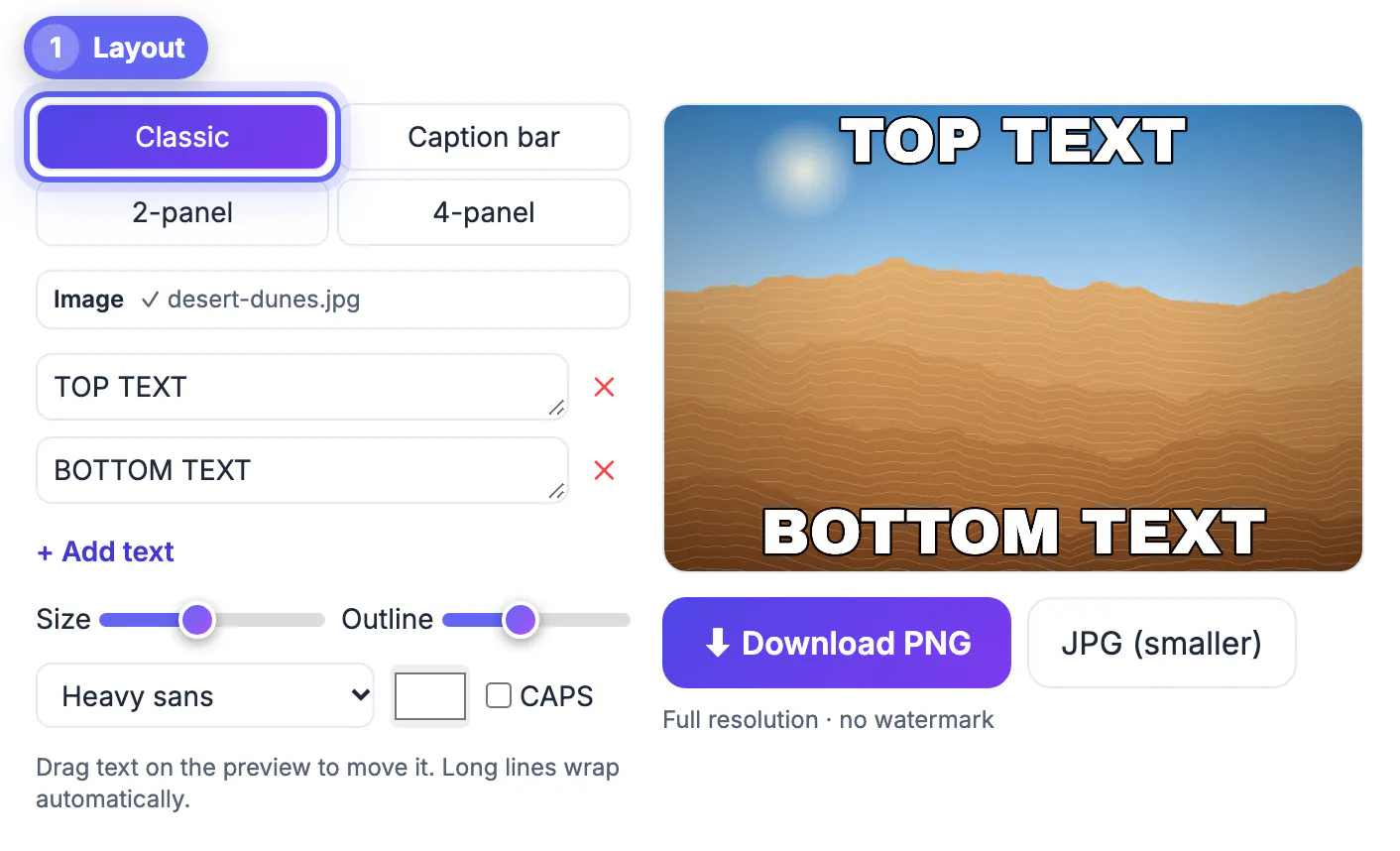
The layout sets the rhythm of the joke, so choose it before you write.
- Classic: bold outlined text placed over the photo, top and bottom by default. Best when the picture itself is the punchline.
- Caption bar: a white strip above the photo with dark sentence-case lettering, the style common on X and Threads. Best for longer setups like when the client says just one small change.
- 2-panel: two photos side by side with BEFORE and AFTER labels to start. Best for contrasts, expectations versus reality, or Monday versus Friday.
- 4-panel: a 2 by 2 grid for escalation jokes or a four-step story, numbered 1 to 4 by default.
In the panel layouts each photo is center-cropped to fill its cell, so keep faces and key objects near the middle of every shot.
Fonts, outline and placement that stay readable
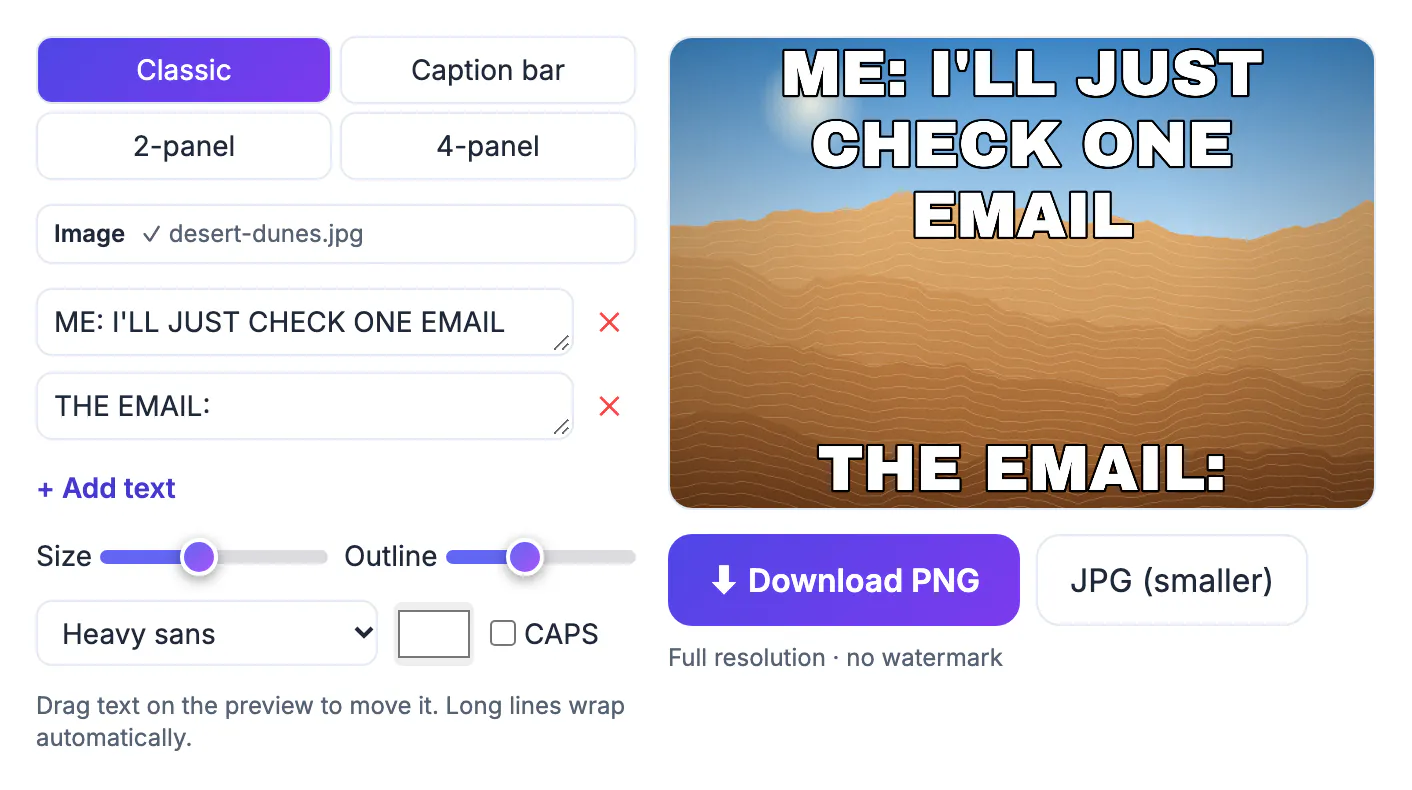
Three typefaces are available: an Impact-style face (Anton), a heavy sans (Archivo Black) and a modern sans (Inter). Anton with a black outline is the familiar look and survives busy backgrounds. The size slider scales lettering to the picture width, and the outline slider sets stroke thickness; around 8 percent works for most photos, while 0 suits plain backgrounds.
Every line is a draggable box on the preview, so move text off faces and onto sky, walls or empty floor. Long lines wrap automatically at 90 percent of the width, and you can add or remove boxes for three-part jokes. The ALL CAPS toggle applies to over-photo lettering; caption-bar lettering always stays in sentence case, which reads better at length.
Wording matters as much as styling. Three structures cover most jokes: setup and punchline split across top and bottom, a label on each panel that names what the picture shows, and a single deadpan statement that the photo contradicts. Write the punchline first, then trim the setup until it is the shortest line that still makes sense. Specific details beat generic ones, so the 4:58 pm Friday email lands harder than a late email ever could.
Finding pictures you are allowed to use
The safest sources are photos you shot and screenshots of your own screens. Beyond that, public-domain archives, Creative Commons images whose license allows modification, and pictures you generate with an AI tool are reasonable options if you follow their terms.
- Crop out other people's names, faces and personal details before posting a screenshot publicly.
- Ask before turning a coworker or friend into the joke, even in a private chat that may be forwarded.
- Businesses should avoid famous film and TV stills entirely, since fair-use arguments are weakest in advertising.
Export size, file type and where you post
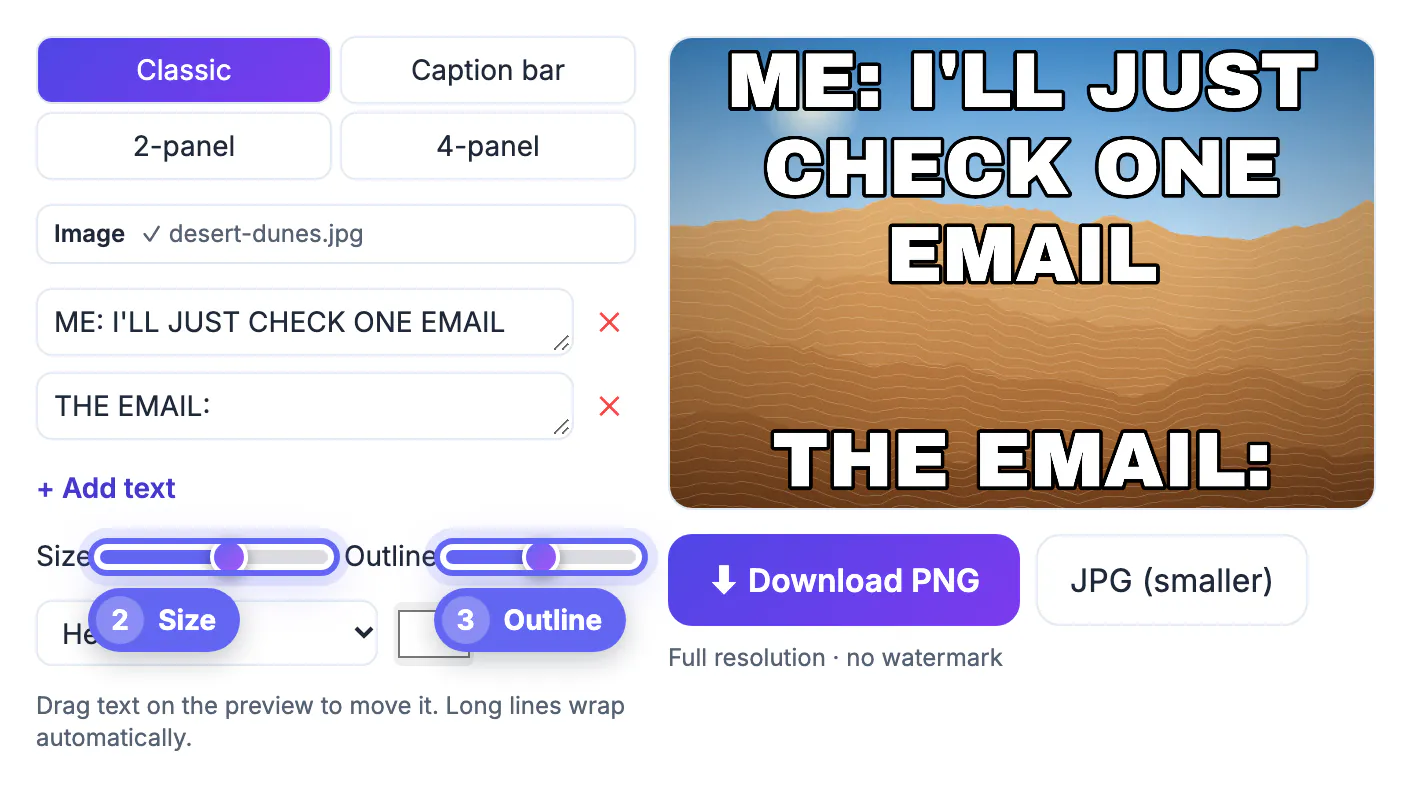
Exports match your photo's width between 600 and 1,600 pixels, so a 4,032-pixel phone shot comes out 1,600 wide and stays sharp without being huge. Choose PNG for crisp lettering edges or JPG at 90 percent quality when you need a smaller file for slow chats. Neither version carries a logo or watermark.
Platforms recompress uploads, which softens thin outlines. If your text looks fuzzy after posting, raise the outline a notch and bump the size slider rather than switching fonts.
Think about the destination too. Group chats on iMessage and WhatsApp show pictures small, so large lettering matters more than fine detail. Slack and Discord display wider previews, where a 2-panel comparison reads well. For Instagram, a 4-panel grid or a square crop fits the feed better than a tall screenshot, while stories favor vertical photos with lettering kept away from the top and bottom edges where app buttons overlap.
Posting to Instagram? Resize your meme to a square first, and if the caption gets lost on a busy photo, see how to keep text readable on busy photos.
Step-by-step
Common mistakes to avoid
Pro tips
Frequently asked questions
Does the meme generator include popular templates?
No. It works with your own pictures only, which keeps you clear of copyrighted film and TV stills. Load a photo, screenshot, licensed image or AI picture, then add your lettering.
Is there a watermark on the download?
No. The PNG or JPG you download is full resolution for your photo, up to 1,600 pixels wide, with no logo or watermark.
Are my photos uploaded?
No. The picture is drawn on a canvas in your browser tab and saved directly to your device. Closing the tab clears it.
Can I make a meme on my phone?
Yes. It works in mobile Safari and Chrome. Tap a slot to pick a photo, type in the boxes, and drag lettering with your finger on the preview.
Can I add more than two lines of text?
Yes. Use Add text for extra boxes and remove any you do not need. Each box can be dragged anywhere on the picture except in caption-bar mode, where the lettering sits in the white strip.
To make a meme online free, start with a photo or screenshot you own, match the layout to the joke, keep lettering short and off faces, and export a clean PNG. Your own pictures make funnier inside jokes and keep you out of copyright trouble, and the whole process stays on your device.
Related guides
Browse more: all image guides · Meme Generator