Stop-Motion GIF From Drawings: Frame Timing That Works
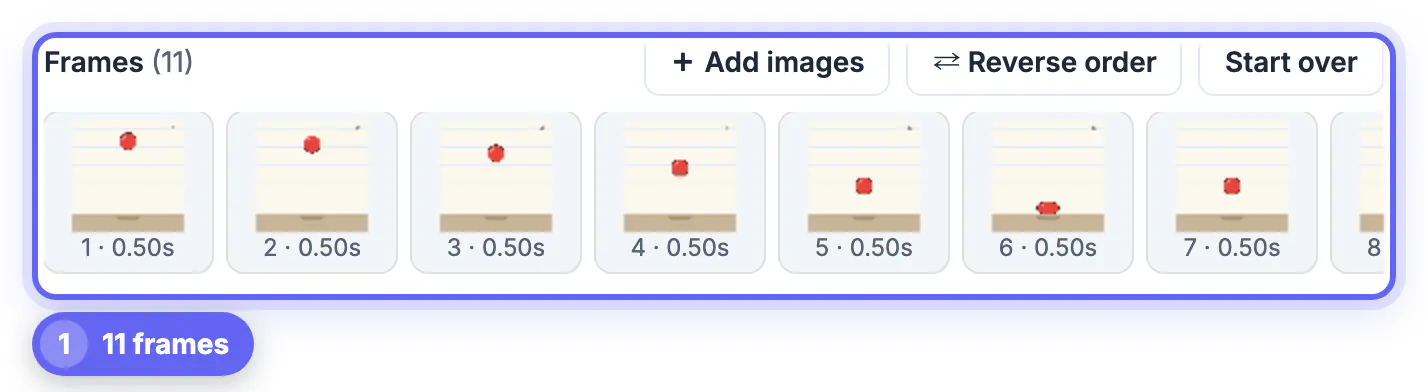
A stop-motion GIF from drawings comes down to three things: frames in the right order, a short and steady display time of roughly 0.05 to 0.1 seconds per drawing, and a few key poses held a little longer. The GrabCast GIF Maker loads a whole folder of scans or tablet exports, lets you time every drawing on its own, and encodes the loop in your browser. The example is the classic animation exercise, a red ball bouncing on lined paper, drawn as eleven frames.
🎞️ Try GIF Maker now — freeOpen →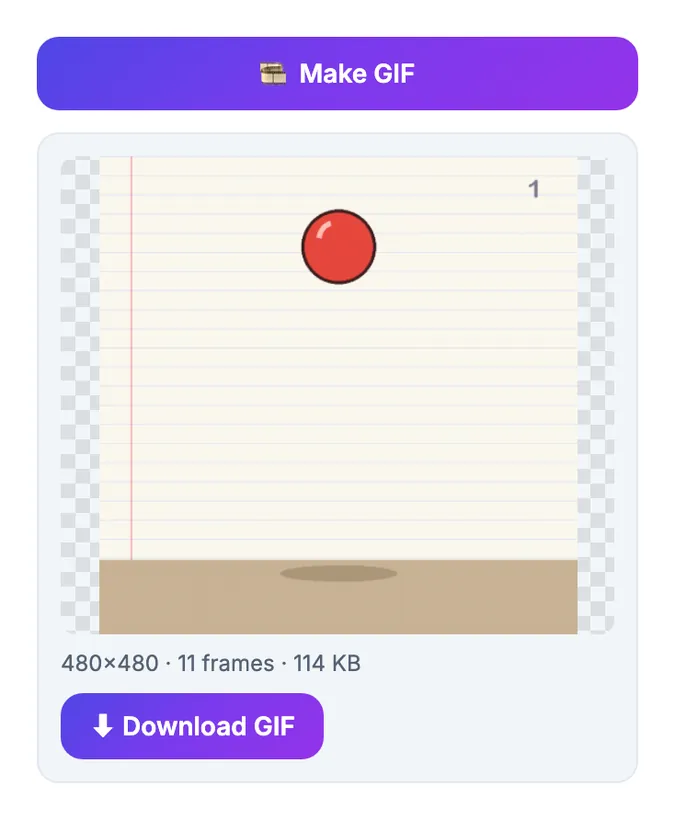
Animation teachers start with a bouncing ball because it exposes timing. The same eleven drawings can look floaty, mechanical or heavy depending only on how long each one stays on screen. Classic hand-drawn animation often ran on twos, 12 drawings per second, and a looping GIF lets you imitate that feel without video software. Getting the numbers right is what turns a stack of sketches into motion people replay.
Capture drawings so they line up frame to frame
Registration, keeping every page in the same position, matters more than neat lines. Wobble between frames reads as shaking.
- On paper: tape a sheet to the table, or use pegs, and scan or photograph each page from the same spot and height.
- On a tablet: keep the canvas size identical and export every frame as PNG with the same dimensions.
- Number the files with leading zeros, 01 to 11, so they sort correctly and load in order.
- Crop all scans to the same area before loading; the tool can fit or fill, but it cannot fix drawings that drift.
Plain backgrounds help twice: they hide small registration errors and they compress into a smaller file. The practice sheet in the example is cream with faint blue lines, which stays clean at 256 colors. If you photograph pages rather than scan them, use daylight or two lamps from opposite sides; a single desk lamp throws a shadow that moves across the page as your hand position changes, and that flicker survives into the finished loop.
If a photo came in sideways, rotate it before building the frames, and the Photo Editor & Filters tool can lift dim lighting.
Frame rate for hand-drawn stop motion
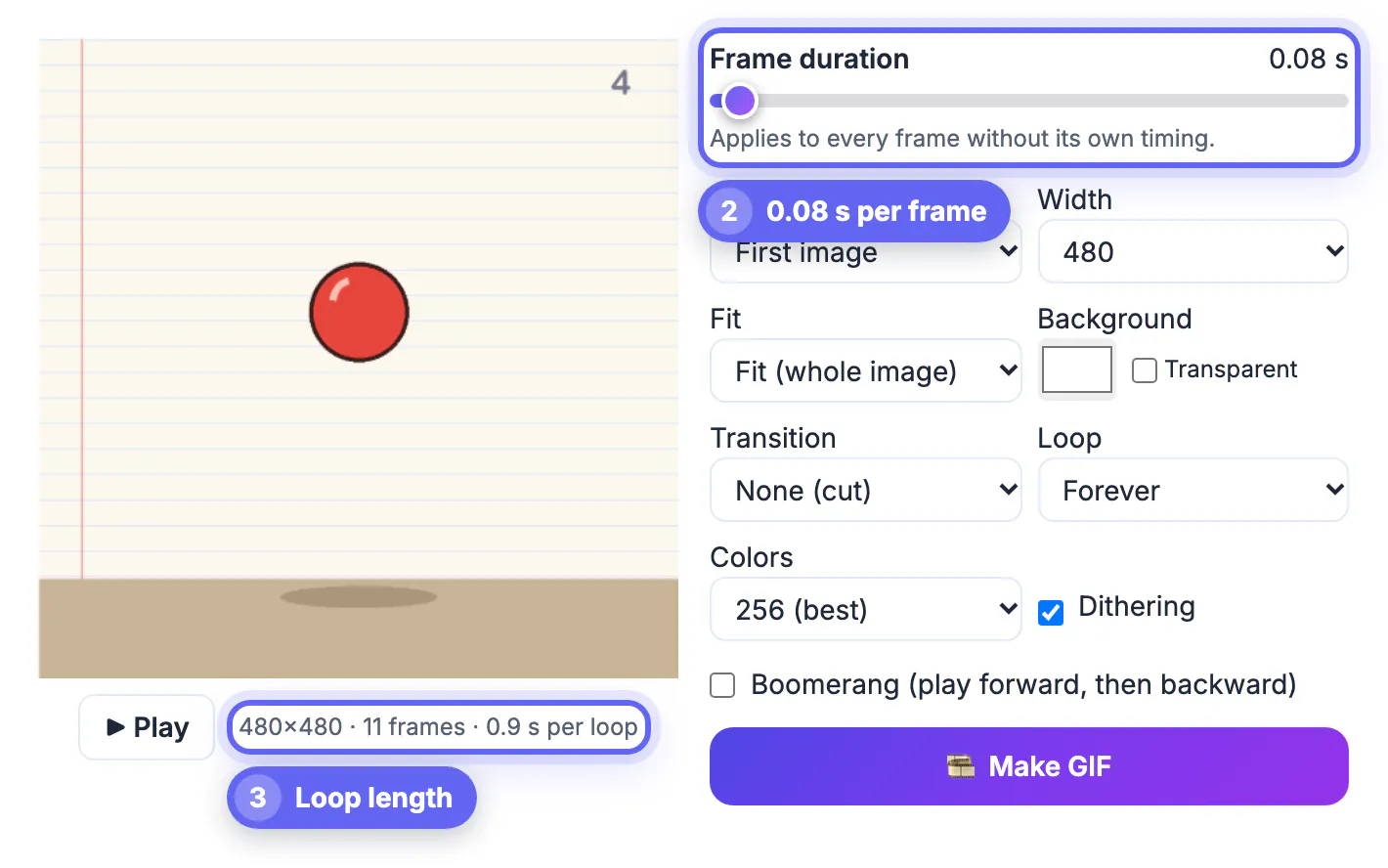
The Frame duration slider sets every drawing to the same time, in steps down to 0.02 seconds:
- 0.04 seconds, about 25 drawings per second: very smooth, needs many drawings.
- 0.08 seconds, about 12 per second: the traditional on-twos feel, used in the example.
- 0.12 to 0.15 seconds: choppy and deliberate, good for paper cutouts and clay-style looks.
- Above 0.3 seconds: reads as a slideshow, not motion.
With eleven drawings at 0.08 seconds, the preview line reported 11 frames and 0.9 seconds per loop. Keep an eye on that number; a bounce loop under one second feels lively, while two seconds feels slow motion. When a sequence looks jerky, the fix is usually more in-between drawings rather than a shorter duration; when it looks mushy, remove a drawing or two near the middle of the fall so the ball accelerates.
Hold key poses with per-frame timing
Real motion is not evenly spaced. A ball hangs at the top of its arc and squashes for an instant on impact, and giving those drawings extra time sells the weight:
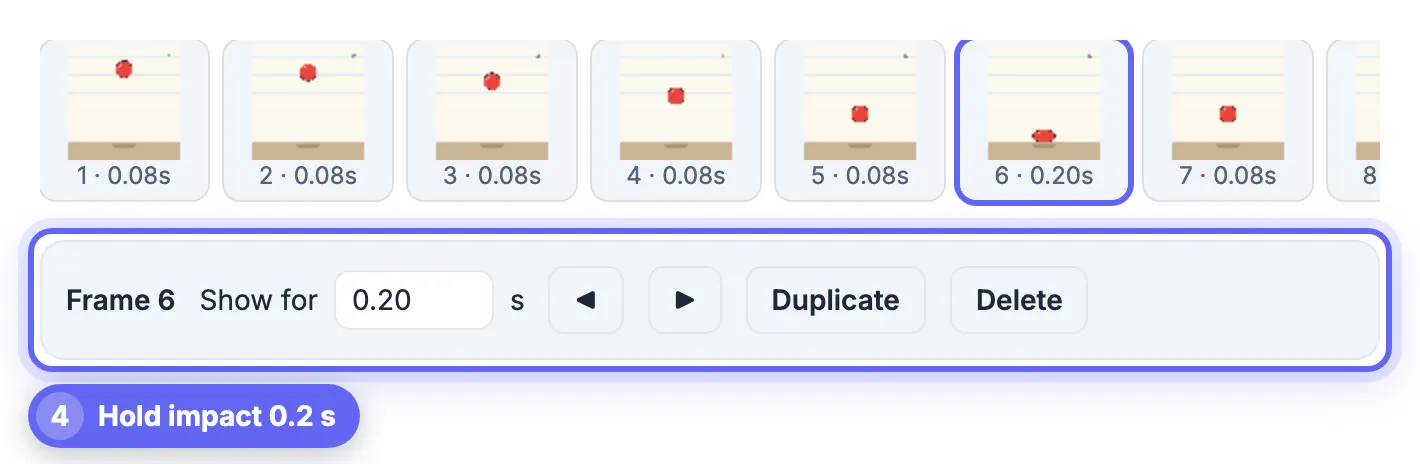
- Click a thumbnail to select it; the frame panel shows its number and a Show for field in seconds.
- The example gives frame 6, the squashed ball touching the floor, 0.2 seconds while the rest stay at 0.08.
- Duplicate repeats a drawing, a quick way to hold a pose without redrawing it.
- Use the arrow buttons to shift a misplaced drawing one step left or right.
Change one timing at a time and watch the live preview; small changes of 0.04 seconds are clearly visible at this speed. Press Pause to inspect a single frame, then Play to resume. The strip labels update with each frame's time, so you can see the whole timing chart at a glance, the same way animators read an exposure sheet.
Crisp output for line art and flipbook scans
Drawings behave differently from photos when reduced to a small palette:
- Transition: keep None (cut). Fades blur the poses together and add frames.
- Colors: line art with a few flat colors often looks the same at 64 or 32 colors, with a smaller file.
- Dithering: helpful for pencil shading and paper texture, but it adds speckles to flat fills, so compare both.
- Width: 480 pixels is enough for sharing; 800 or 1080 for a portfolio page.
The finished bounce loop came to 480 x 480 pixels, 11 frames and 114 KB. For drawings that start and end on the same pose, set Loop to Forever; for a walk cycle that should travel back, Boomerang plays the sequence forward then backward. For a portfolio, export once at 480 for social posts and once at 800 or 1080 wide for your site; both come from the same frames, so only the Width setting changes between them.
Step-by-step
Common mistakes to avoid
Pro tips
Frequently asked questions
What frame duration is best for hand-drawn animation?
About 0.08 seconds per drawing, roughly 12 drawings per second, gives the classic hand-drawn feel. Go faster only if you have many in-between drawings.
Can I time one drawing differently from the rest?
Yes. Click its thumbnail and type a value in Show for; the rest keep the global duration.
How many drawings can I load?
Up to 300. Longer sequences are better split into several loops, for example one per scene or one per movement, which also keeps each file small and quick to load.
Can I combine an existing animation with new drawings?
In Chrome, Edge and other Chromium browsers, a dropped animated file is split into its frames with their original timing, so you can add drawings before or after it. Other browsers use only its first frame.
Why do flat colors look speckled?
That is dithering, a pattern of dots that imitates missing colors. Untick Dithering for flat artwork, and try fewer colors for a cleaner, smaller result; keep it on for pencil shading.
Register your drawings carefully, run them at about 0.08 seconds each with hard cuts, and hold the impact or key pose a little longer. Line art usually stays crisp at fewer colors without dithering, which keeps the loop small enough to share anywhere.
Related guides
Browse more: all image guides · GIF Maker