Best AI Tools for YouTubers: An Honest Stack
The best AI tools for YouTubers in 2026 are the ones that remove the biggest bottleneck in your upload week, not the ones with the longest feature list. For most channels that means one tool for captions and transcripts, one for editing, one for turning long videos into Shorts, and optionally one for voice or research. Below we group well-known options by job, say where each shines and where it falls short, and show where GrabCast's free browser tools fit and where they do not. We deliberately skip prices, because plans change every few months; check each vendor's current pricing page before you subscribe.
🎧 Try the AI Studio tool now — freeOpen →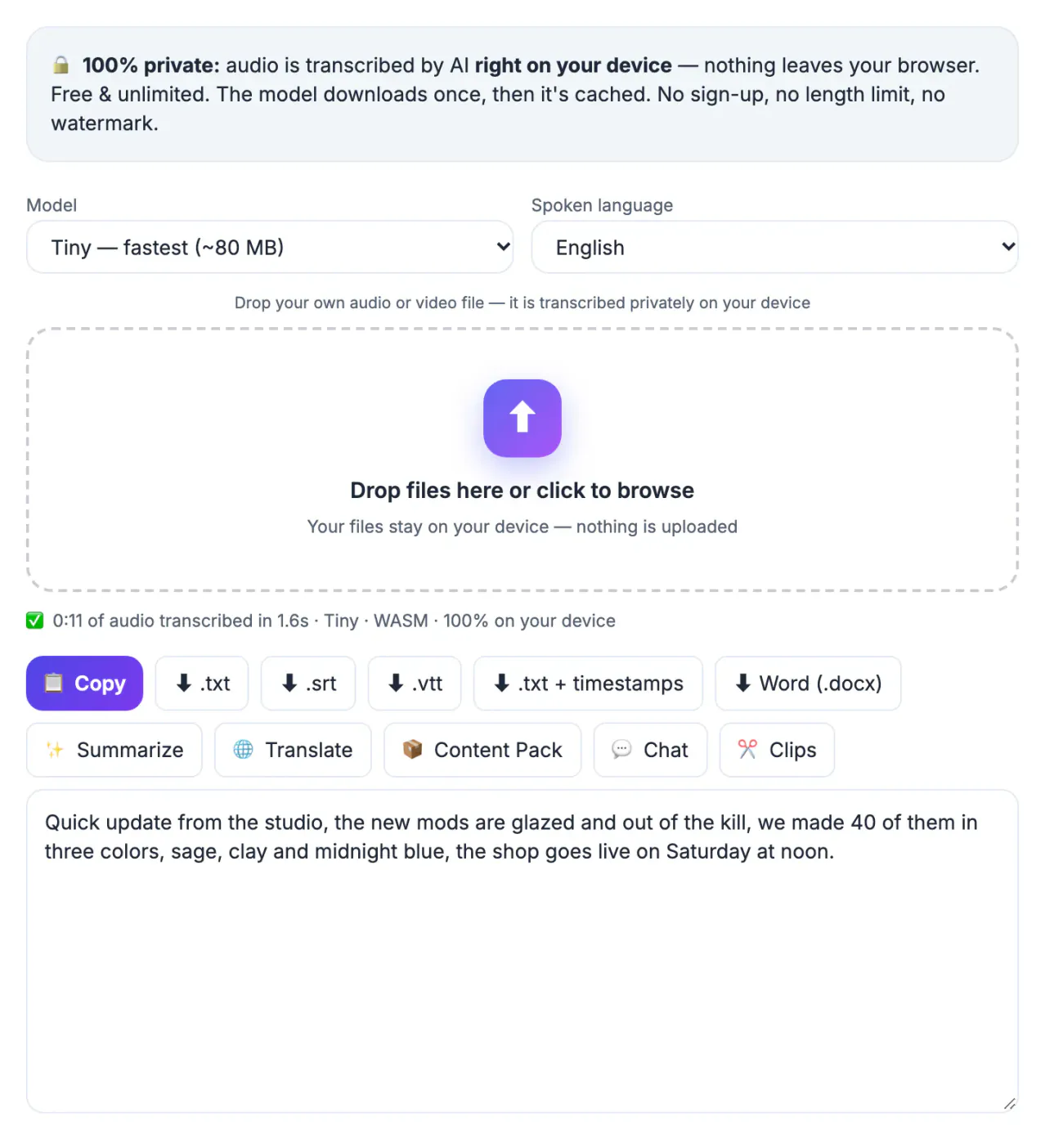
Time two ordinary uploads from idea to publish and write down the hours per stage. A typical solo educator logs something like four hours scripting, six editing, one on captions and descriptions, and two cutting Shorts. The AI purchase that pays back is the one aimed at the six, not the flashy avatar generator that saves nothing you currently spend. Subscriptions also overlap: many editors now bundle transcription, captions and clip suggestions, so a second tool for the same job is wasted money. Finally, every cloud tool is another place your unreleased footage lives, which matters for sponsored or embargoed work. Start from the stopwatch, add one tool at a time, and cancel anything you have not opened in a month.
Captions and transcripts: YouTube Studio vs AI Studio
Captions help viewers watching on mute and give search engines text to index, and a clean transcript also feeds your description, chapters and blog posts. You have two free starting points before paying anyone.
- YouTube Studio generates automatic captions after upload; they are free but often miss names and jargon, so review them before relying on them.
- GrabCast AI Studio runs Whisper in your browser with Tiny, Base, Small or Large-v3 Turbo models and exports SRT, VTT, TXT and Word, so you can correct captions before uploading.
- For your back catalog, download your own caption tracks from YouTube Studio > Subtitles, or download the original upload there and re-transcribe it for cleaner text.
- Paid editors such as Descript transcribe in the cloud and tie the text to the timeline, which is convenient if you already edit there.
- AI Studio has no speaker labels, so multi-host channels should expect to tag speakers by hand.
Editing and Shorts: where AI earns its keep
Editing is usually the largest time sink, and it is where AI features have matured most. Match the tool to your footage rather than to a demo reel.
- Descript suits talking-head and podcast-style channels: edit by deleting words, remove filler, and clean voice audio.
- CapCut is popular for vertical content thanks to templates, auto captions and quick effects; review its terms if you handle client work.
- DaVinci Resolve has a strong free version, and its paid Studio edition adds several neural tools for masking and audio cleanup.
- Auto-clippers such as OpusClip pick moments and reframe to 9:16; results vary, so budget time to reject weak suggestions.
- GrabCast AI Clip Finder suggests 20 to 45 second moments from a transcript, and the Video Trimmer cuts them and burns styled captions, but there is no multi-track timeline.
Voice, research and thumbnails
These are optional layers. Add them only when the stopwatch says so, and be careful with anything that imitates a real person.
- ElevenLabs is known for very realistic voices and cloning; clone only your own voice or one you have written permission to use.
- GrabCast Text to Speech offers 16 US and UK English voices generated on your device with MP3 or WAV download, good for drafts, faceless explainers and scratch narration.
- vidIQ and TubeBuddy run as browser extensions for keyword ideas, tag research and channel audits; treat their scores as hints, not verdicts.
- For covers, Canva and Photoshop both include generative features, and the GrabCast YouTube Thumbnail Checker previews your own thumbnail at real YouTube sizes in light and dark mode, with safe zones and size checks, before you upload.
- YouTube asks creators to disclose realistic altered or synthetic content, so label AI voices or footage that could be mistaken for real.
A starter stack for three kinds of YouTubers
No channel needs everything above. These combinations cover most creators with one paid tool at most.
- Talking-head educator: AI Studio for corrected captions and chapters, plus Descript or your current editor for the cut.
- Faceless explainer: a writing assistant for outlines, Text to Speech for narration, screen or stock footage, and burned captions from the Video Trimmer.
- Gaming or stream highlights: an auto-clipper or AI Clip Finder for moments, a trimmer for precise cuts, and styled captions for mobile viewers.
- Everyone: keep your raw files and final transcripts in one folder per video so any tool can be swapped without redoing work.
Step-by-step
Common mistakes to avoid
Pro tips
Frequently asked questions
Are free AI tools good enough for a growing channel?
For captions, transcripts, basic trimming and scratch voiceovers, yes. Paid tools earn their cost mainly in editing speed and polish, so upgrade that stage first when your stopwatch shows it is the bottleneck.
Will using an AI voice get my channel demonetized?
Not by itself. YouTube's monetization rules target mass-produced or repetitive content that lacks original value, and it asks for disclosure of realistic synthetic media. A useful, original video narrated by a synthetic voice is treated like any other video.
Does GrabCast upload my videos?
Transcription in AI Studio, trimming and text to speech run in your browser on your device. Features that write with AI, such as Summarize, Content Pack or Clip Finder, send transcript text to a cloud AI service.
If I can only pick one AI tool, which should it be?
A good transcription tool. One accurate transcript becomes captions, chapters, a description, blog posts and Shorts candidates, so it pays off across every later stage.
Should AI write my titles and descriptions?
Use it to generate options, then choose and edit yourself. You know the audience and the promise of the video; AI drafts are a starting list, not a final answer.
There is no single best AI tool for YouTubers, only the right one for your slowest stage. Time your workflow, start with free options like AI Studio, Text to Speech and the Video Trimmer, and pay only where a trial proves real hours saved.
Related guides
Browse more: all video and audio guides · the AI Studio tool