Remove GPS Location From a Photo Before You Share It
To remove GPS location from a photo, strip the EXIF geotag before the file leaves your device, because anyone who receives the original can read coordinates precise to within a few feet. Phones add that tag automatically whenever camera location access is on. This guide shows where the coordinates survive and where apps delete them for you, how to clean a single shot or a whole batch in the browser without touching the pixels, and which settings on iPhone and Android stop the tagging at the source.
🧹 Try Metadata Remover now — freeOpen →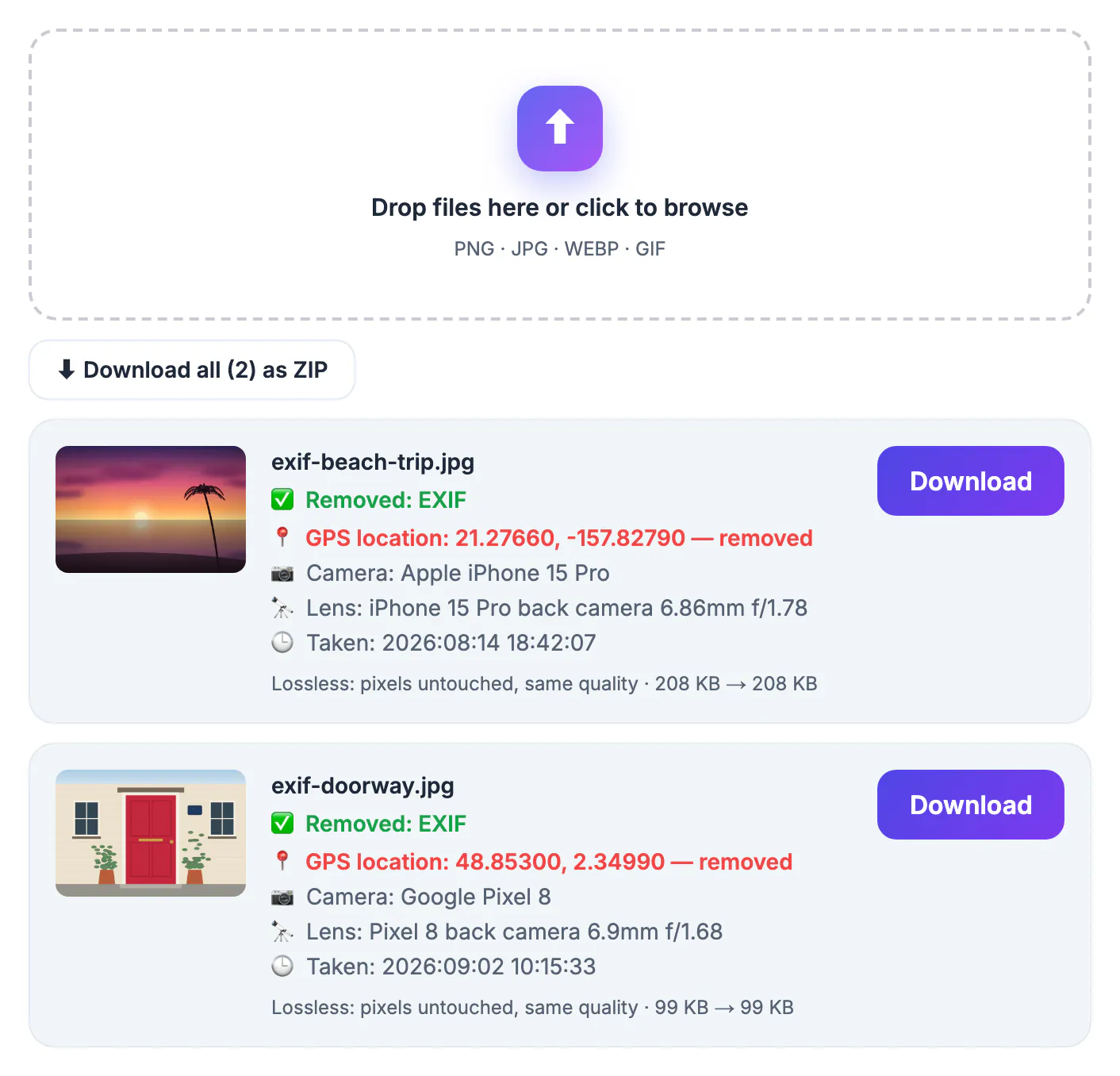
A GPS tag is stored as latitude and longitude, usually to five or more decimal places, which is about a meter of precision. Drop those numbers into any map app and you land on a specific house, apartment block or classroom, often with the date and time of the shot alongside. One picture reveals a place; a handful of pictures taken at night reveal where someone sleeps. Most people never see the tag, because galleries hide it behind an info button, which is exactly why it gets shared by accident. Stalkers, burglars and scammers do not need special skills to read it; free viewers and ordinary desktop file panels display it in seconds.
Where GPS data survives and where apps delete it
The big social networks, including Facebook, Instagram and X, strip EXIF from the public copy they serve, so a feed post rarely leaks your coordinates. The danger is every route that passes the original file along untouched.
- Email attachments and messaging apps that send the full-quality original
- AirDrop, Nearby Share and USB transfers between devices
- Shared links from Dropbox, OneDrive, iCloud or Google Drive folders
- Marketplace listings, forums, school portals and small websites that store the file you upload
- Dating and rental apps where you cannot always tell what the server keeps
If you are not sure how a service handles uploads, assume the coordinates travel with the file and clean it first.
Remove GPS location data without re-encoding
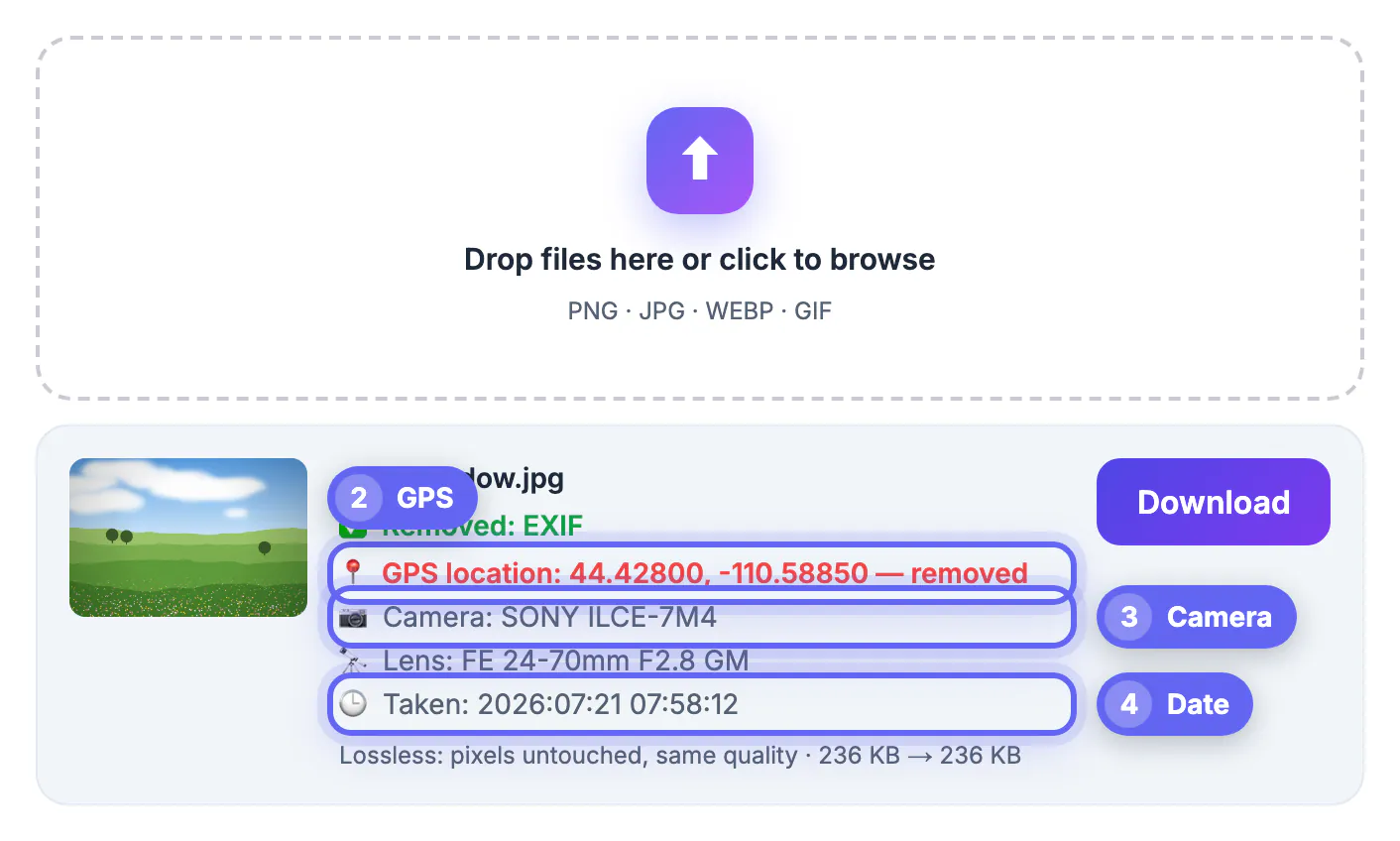
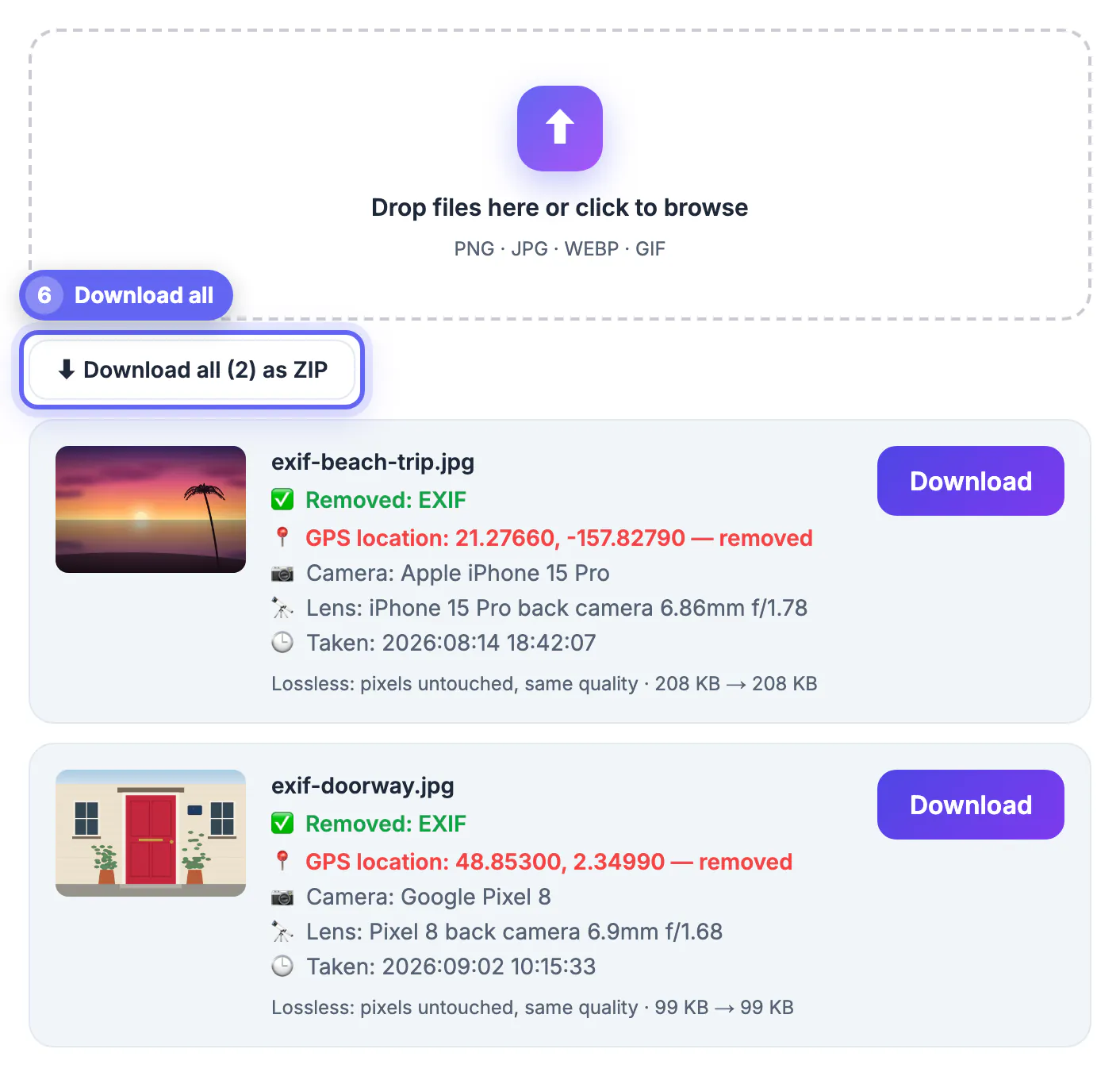
The GrabCast Metadata Remover opens each picture in your browser, reads the hidden tags and shows them to you before cleaning: the coordinates in red, followed by camera make and model, lens, the date taken and editing software. Then it writes a new copy without that block.
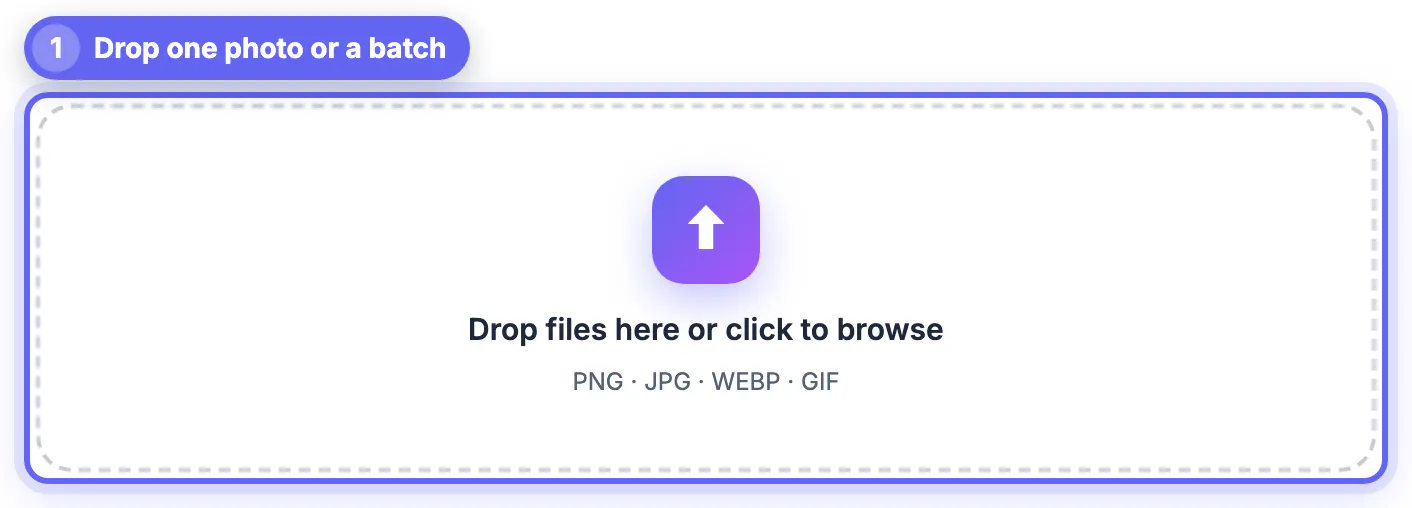
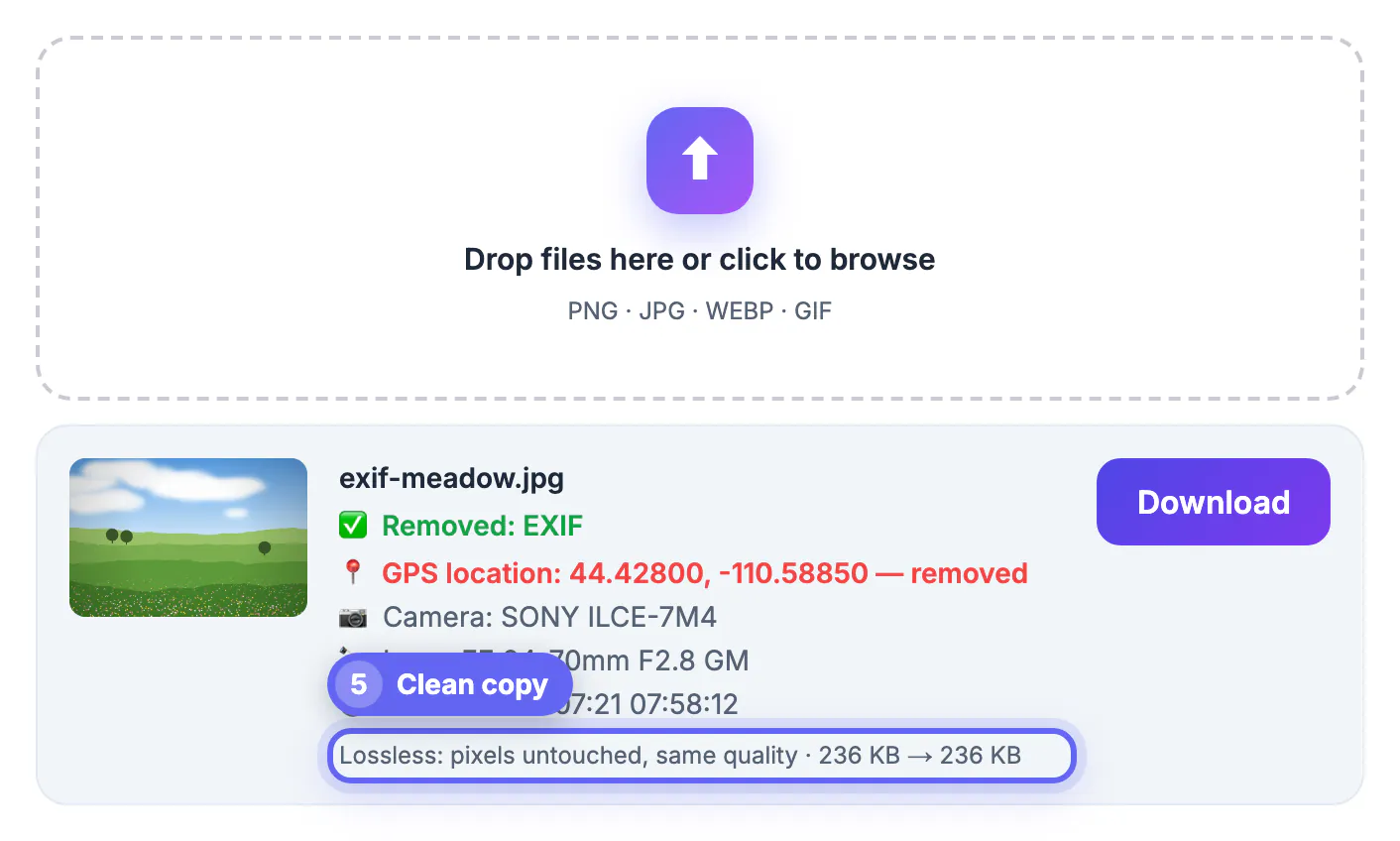
For JPG, PNG and WebP the pixels are copied untouched, so quality is identical and the file usually gets a few kilobytes lighter. JPG orientation is kept, so a portrait shot does not suddenly turn sideways. iPhone HEIC and other formats are re-encoded to a high-quality JPG instead, and the result card says so. Drop fifty files at once and download them individually or as one ZIP; if a picture was already clean, the card tells you that too.
Situations where this really matters
Some cases carry more risk than a vacation snap, and they share a pattern: the picture was taken somewhere private and sent to someone you do not know well.
- Selling furniture or a car online with pictures taken in your driveway or living room
- Sending a rental application, insurance claim or repair quote with pictures of your home
- Posting kids' school, sports or birthday pictures to a parent group or a public blog
- Sharing pictures with a new match on a dating app before meeting in person
- Journalists, activists and domestic-abuse survivors who need their whereabouts kept confidential
Removing metadata does not hide what is visible. A house number, a street sign, a school logo or the view from a window can still identify a place, so crop or blur those before sharing.
Some photos also show street signs or faces, so use the Blur & Pixelate Image tool or the Magic Eraser to hide them before sharing.
Stop geotagging at the source on iPhone and Android
Cleaning files works after the fact; turning tags off prevents the problem. On an iPhone, open Settings, then Privacy and Security, then Location Services, then Camera, and choose Never. For a single share, tap Options at the top of the share sheet and switch off Location before sending.
On Android, open the Camera app settings and turn off the save-location or location tags option; Samsung, Pixel and most other brands put it there. In Google Photos you can also hide location from pictures you share by link in the sharing settings. Keep in mind that video files record location as well, and this remover handles still images only, so check your phone's share options for clips.
Step-by-step
Common mistakes to avoid
Pro tips
Frequently asked questions
Can someone find my location from a photo I send?
Yes, if the original file still contains a GPS tag. Anyone who downloads it can read the coordinates with a free viewer or a computer's file info panel and paste them into a map. On a Mac, Preview shows them under Tools, Show Inspector; on Windows, right-click the file, choose Properties and open the Details tab.
Do Facebook and Instagram remove GPS data?
They strip EXIF, including location, from the public copy they display. Email, AirDrop, cloud share links and many smaller websites keep it, so clean files before sending them through those routes.
Does removing metadata reduce quality?
Not for JPG, PNG or WebP, where the pixels are copied untouched and only the hidden data block is dropped. HEIC and other formats are re-encoded to a high-quality JPG, which is visually very close to the original.
Is my photo uploaded when I clean it?
No. The Metadata Remover reads and rewrites the files in your browser on your own device, and nothing is sent to a server or stored after you close the tab.
Can I remove location from a video?
This tool handles still images only. For clips, use your phone's share options to leave location out, or turn off location access for the camera before recording. Screen recordings and edited exports from video apps sometimes drop the tag, but check the file details to be certain.
A photo's GPS tag can point to your door within a few feet, and many sharing routes pass it along untouched. Clean files in the browser before they leave your device, switch off camera location for private places, and remember that visible landmarks give places away too.
Related guides
Browse more: all image guides · Metadata Remover